Help Guide
Wireless Stereo Headset
WF-C500
Connecting to a paired iPhone
Unlock the screen of the iPhone if it is locked.
1
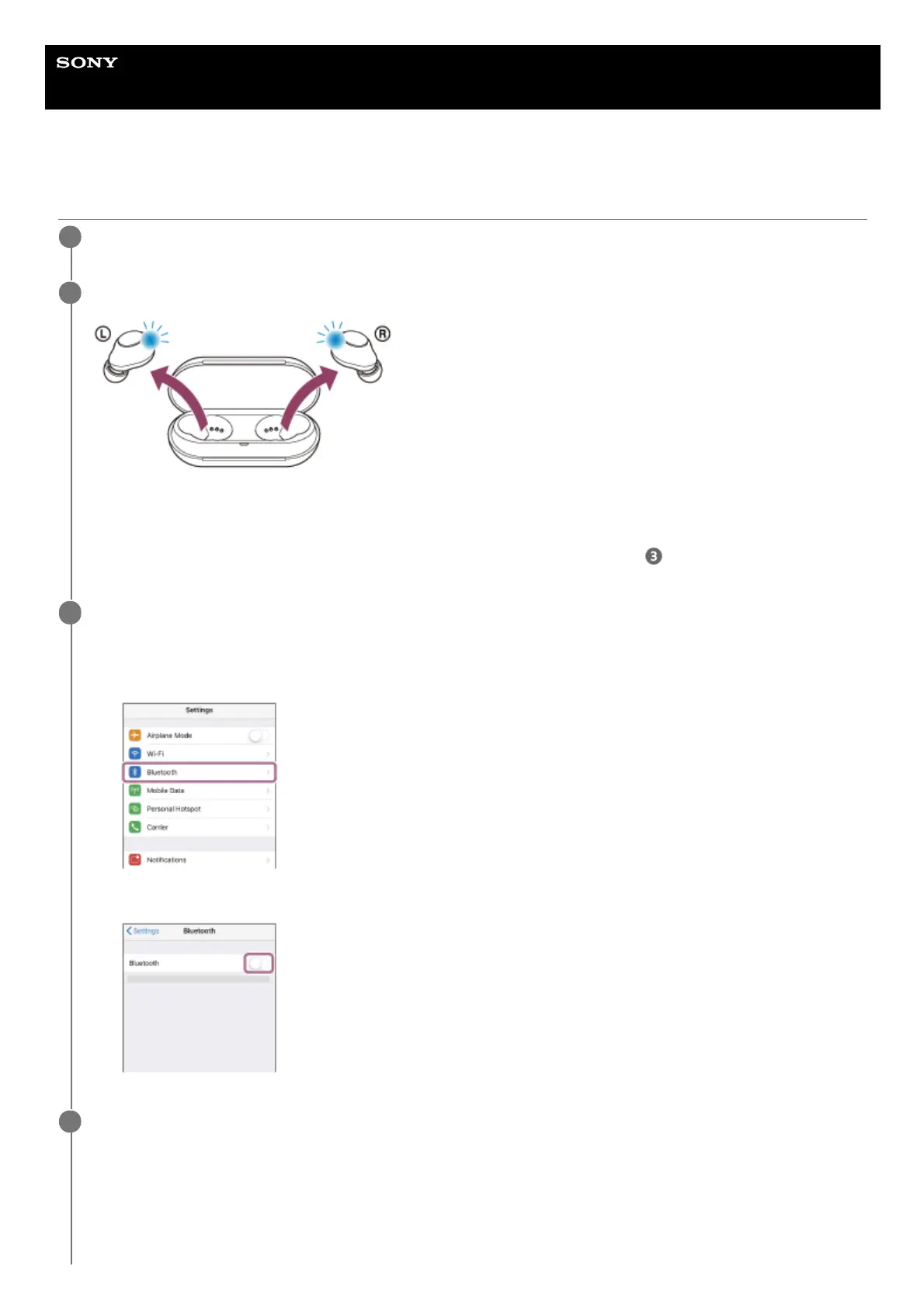
Remove the headset from the charging case.
The headset turns on automatically. Check that the indicators (blue) flash.
If the headset has automatically connected to the last connected device, you will hear the voice guidance say
“Bluetooth connected” from the unit of the headset that was removed first from the charging case.
Check the connection status on the iPhone. If it is not connected, proceed to step
.
2
Display the devices paired with the iPhone.
3
Select [Settings].
1.
Touch [Bluetooth].
2.
Touch the switch to turn on the Bluetooth function.
3.
Touch [WF-C500].
4



 To Next Page