Help Guide
Wireless Speaker
SRS-XV800
No sound/Sound from only one speaker/Low sound level/Distorted sound/Humming
or noise in the speaker output
Check that both the speaker and the connected device are turned on.
Turn up the volume of the speaker and the connected device.
Depending on the connected BLUETOOTH device, volume adjustment on the BLUETOOTH device may not change
the volume level of the speaker (i.e. the
(power) indicator does not flash).
When the volume of the speaker sounds low, adjust the volume level of the BLUETOOTH device to an appropriate
one, and then adjust the volume level of the speaker with –/+ (volume) on the speaker.
Check that the connected device is playing.
Select BLUETOOTH, OPTICAL IN, AUDIO IN, or USB mode in accordance with the desired audio source for
playback.
Make sure the audio cable is firmly connected to the AUDIO IN jack during playback in AUDIO IN mode.
If the speaker is in OPTICAL IN mode and playback is in progress, make sure that the optical digital cable is firmly
plugged in the OPTICAL IN (optical digital audio input) connector.
If you are connecting a computer to the speaker, make sure the audio output setting of the computer is set for a
BLUETOOTH device.
Check that the speaker has established BLUETOOTH connection with the BLUETOOTH device.
Pair the speaker and the BLUETOOTH device again.
Before connecting multiple speakers via BLUETOOTH connection for the Stereo Pair function or the Party Connect
function, update the pre-installed software to the latest version on each and every speaker.
If the device that is connected to the AUDIO IN jack is monaural, sound may only be output from the left speaker
component (left channel).
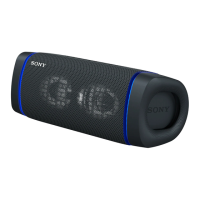
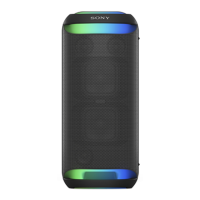
Placing the speaker in the horizontal orientation automatically changes the audio output and the audio is output from
the top two tweeters.
If the connected device has an equalizer function, set it to off.
Keep the speaker away from a microwave oven, wireless LAN, etc.
Bring the BLUETOOTH device closer to the speaker. If there is any obstacle between the speaker and the
BLUETOOTH device, move it out of the way.
If the CHARGE indicator flashes slowly, turn off the speaker and charge the built-in battery sufficiently.
A device with a built-in radio or tuner cannot be connected to the speaker via a BLUETOOTH connection since noise
may occur in broadcasts.
Locate the speaker farther away from a TV, radio or tuner, etc. since noise may occur in broadcasts.


 To Next Page