Hint
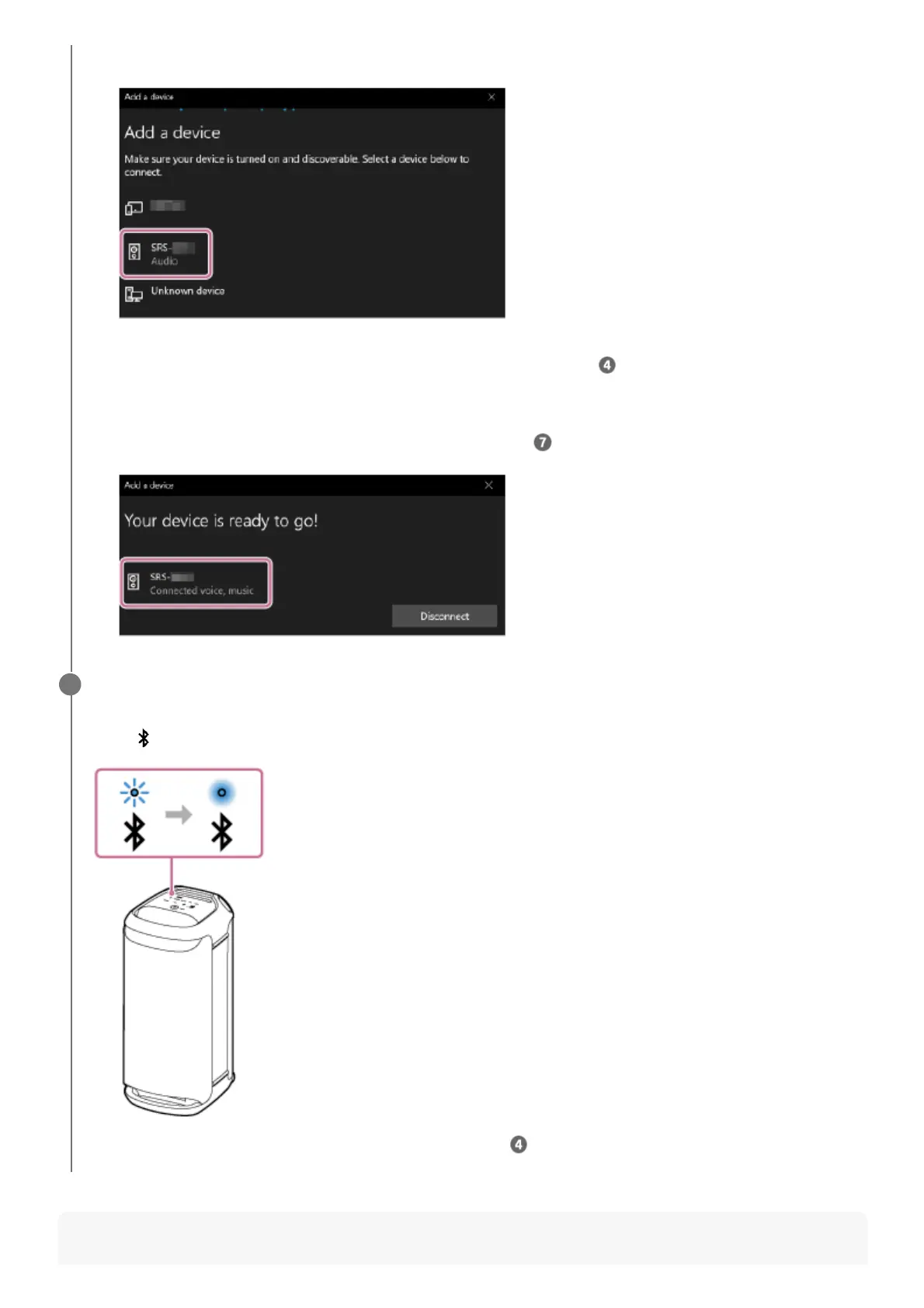
Select [SRS-XV800].
If a passkey* is required, enter “0000.”
If [SRS-XV800] does not appear, perform the operation again from step
.
5.
The passkey may be called a “passcode,” “PIN code,” “PIN number,” or “password.”
*
After pairing, the BLUETOOTH connection establishes automatically and [Connected music] or [Connected
voice, music] will be displayed on the screen. Proceed to step
.
6.
Follow the on-screen instructions to establish a BLUETOOTH connection.
When a BLUETOOTH connection is established, you hear the notification sound from the speaker and the activity
of the
(BLUETOOTH) indicator changes from flashing to lit.
If the connection attempt fails, repeat the procedure from step .
7



 To Next Page