Hint
As long as the BLUETOOTH function is activated on a BLUETOOTH device that has previously been connected with the
speaker, the speaker is reconnected with the device right after the speaker is turned on.
The above instructions on the BLUETOOTH device are provided as an example. For details, refer to the operating instructions
supplied with the BLUETOOTH device.
Note
The pairing mode of the speaker is released after about 5 minutes and the
(BLUETOOTH) indicator flashes slowly. However,
when the speaker has no pairing information, such as at the factory settings, the pairing mode is not released. If the pairing mode
is released before finishing the process, repeat from step
.
The passkey of the speaker is “0000.” If a passkey besides “0000” is set on the BLUETOOTH device, pairing cannot be done with
the speaker.
Once the BLUETOOTH devices are paired, there is no need to pair them again, except in the following cases:
Pairing information has been deleted after repair, etc.
The speaker is already paired with 8 devices and another device is to be paired.
The speaker can be paired with up to 8 devices. When a new device is paired in addition to 8 paired devices, the pairing
information of the earliest device connected via a BLUETOOTH connection is replaced by the information of the new one.
The pairing information with the speaker has been deleted from the BLUETOOTH device.
The speaker is initialized.
All pairing information will be deleted. If you initialize the speaker, it may not be able to connect your BLUETOOTH device. In
this case, erase the pairing information of the speaker on your BLUETOOTH device, and then perform the pairing procedure
again.
The speaker can be paired with multiple devices, but can only play music from one paired device at a time.
Related Topic
Listening to music of a device via a BLUETOOTH connection
Terminating the BLUETOOTH connection (After use)
If a passkey
*
is required on the display of the BLUETOOTH device, enter “0000.”
The passkey may be called a “passcode,” “PIN code,” “PIN number,” or “password.”
*
Make the BLUETOOTH connection from the BLUETOOTH device.
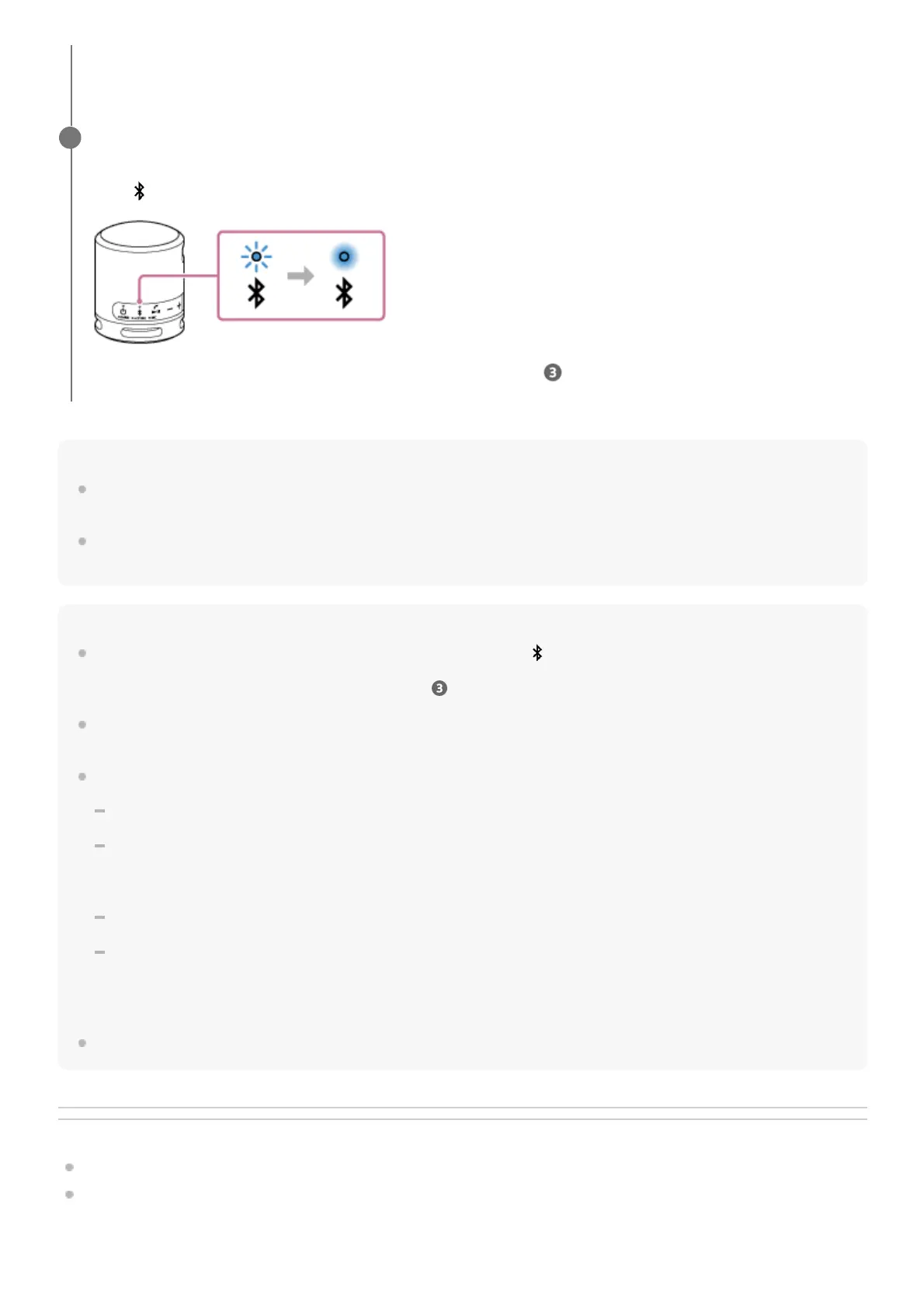
When the BLUETOOTH connection is established, you hear the notification sound from the speaker and the activity
of the
(BLUETOOTH) indicator changes from flashing to lit.
If the BLUETOOTH connection is not established, repeat from step .
5



 To Next Page