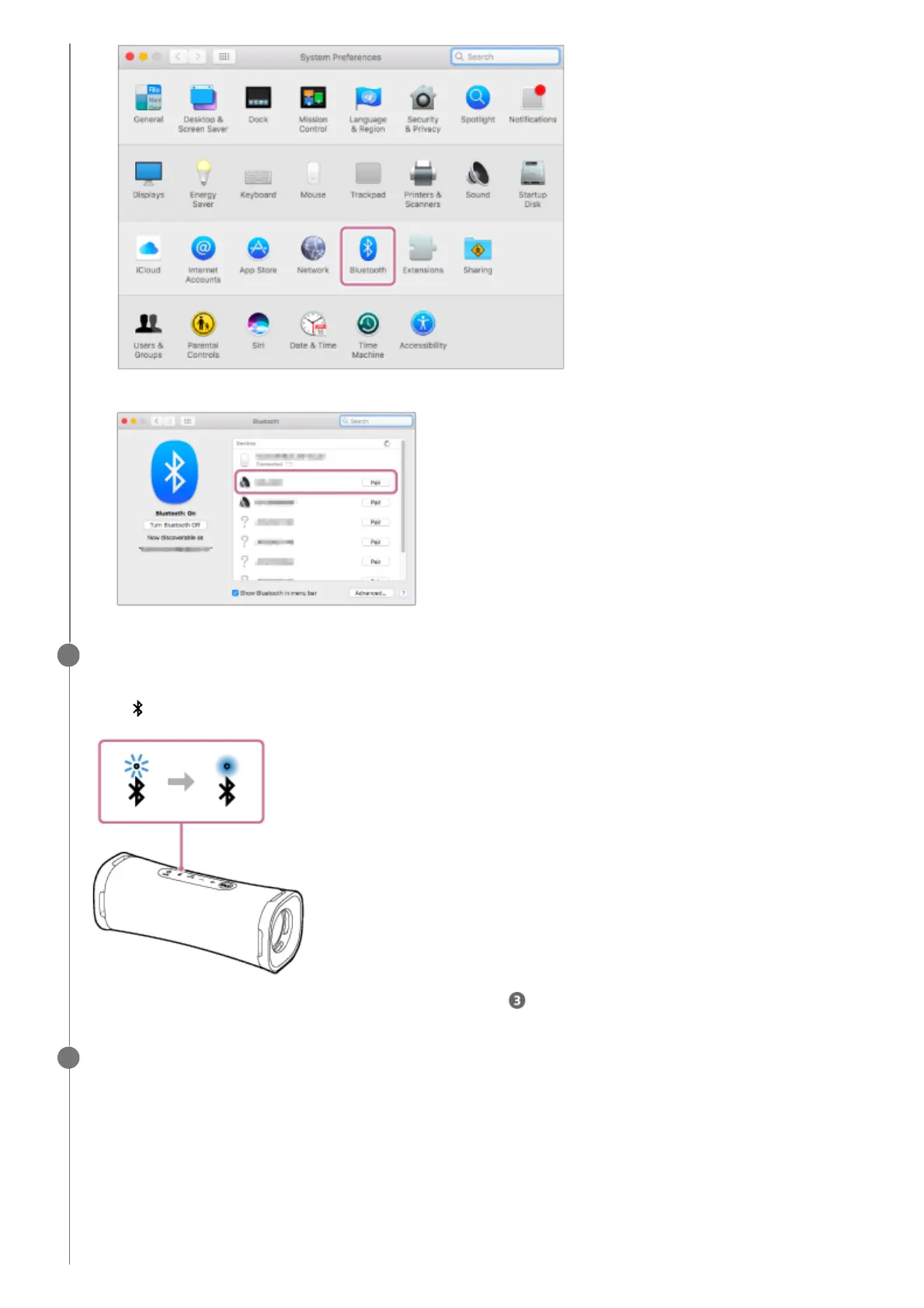
Select [ULT FIELD 1] from the Bluetooth screen, then click [Pair].2.
Follow the on-screen instructions to establish a BLUETOOTH connection.
When the BLUETOOTH connection is established, you hear the notification sound from the speaker and the activity
of the (BLUETOOTH) indicator changes from flashing to lit.
If the connection attempt fails, repeat the procedure from step .
5
Click the speaker icon in the top-right of the screen and select [ULT FIELD 1] from [Output Device].
You can enjoy playing back music, etc. from your computer.
6



 To Next Page