EN
6
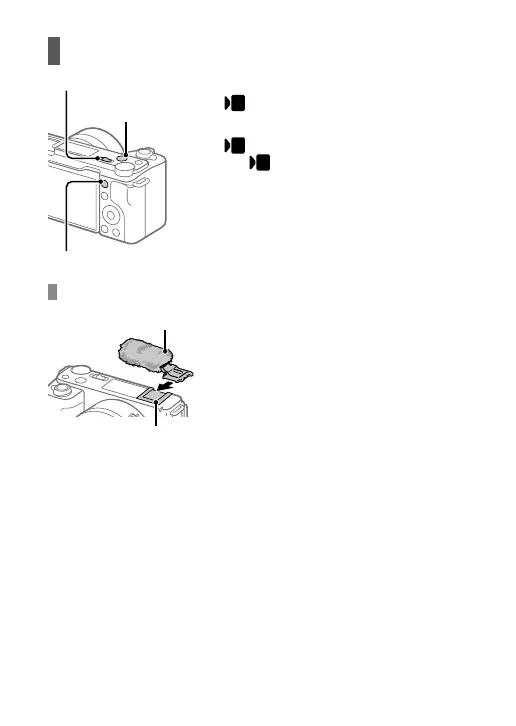
Shooting movies
Still/Movie/S&Q switch
MOVIE (Movie)
button
MENU button
Set the Still/Movie/S&Q switch to
(Movie).
Press the MENU button and select
(Shooting) [Shooting Mode]
[
Shoot Mode] the desired
shooting mode.
Press the MOVIE (Movie) button to
start recording.
Press the MOVIE (Movie) button
again to stop recording.
Using the wind screen (supplied)
Wind screen
Multi Interface Shoe
Use the wind screen to reduce wind
noise picked up by the internal
microphone when recording a movie.
Attach the wind screen to the Multi
Interface Shoe.



 To Next Page