ZV-E10
5-027-835-31(1)
GB
6
C:\Users\gotanda\Desktop\50 27835311_RKSG GB book\5027835311ZVE10CE C\01GB-ZVE10CEC\01GB.indd
DTP data saved: 2021/03/10 18:13
PDF file created: 2021/03/10 18:16
Setting the language and the clock
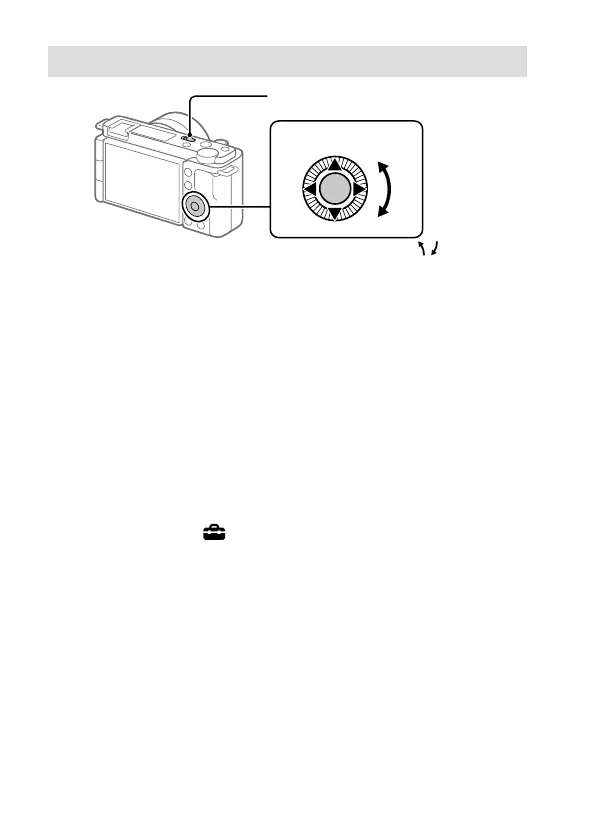
ON/OFF (Power) switch
Control wheel
Select items : ////
/
Confirm : Center button
1 Set the ON/OFF (Power) switch to “ON” to turn on the camera.
2 Select the desired language and then press the center of the control
wheel.
3 Make sure that [Enter] is selected on the screen and then press the
center button.
4 Select the desired geographic location and then press the center button.
5 Set [Daylight Savings], [Date/Time], and [Date Format], and then select
[Enter] and press the center button.
If you want to reconfigure the date/time or the area setting at a later
point, select MENU
(Setup) [Date/Time Setup] or [Area Setting].



 To Next Page