11
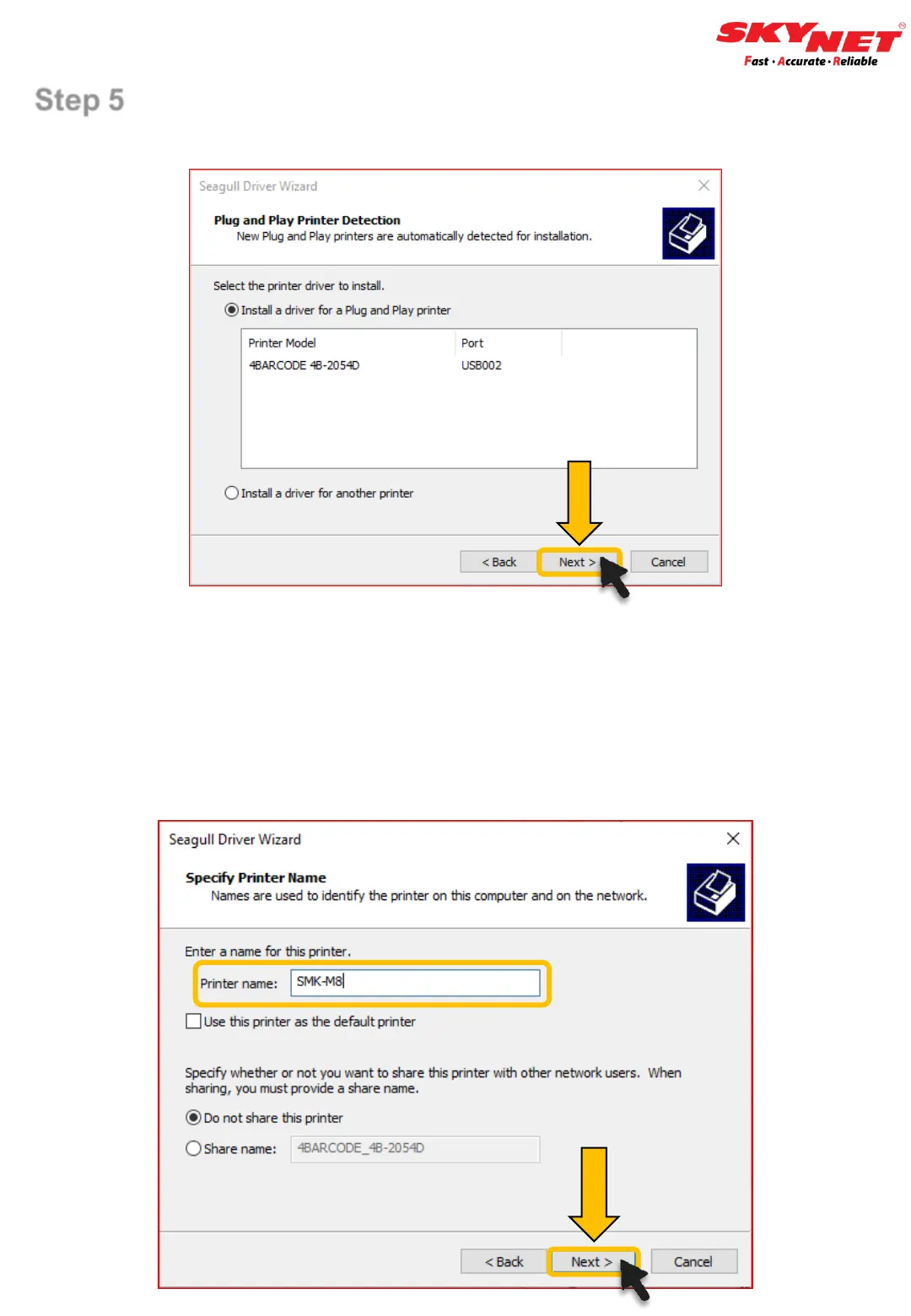
Step 5
Click on the ‘Next’ button.
• Use the default name or rename the file for easier reference.
• Rename the Printer as ‘SMK-M8’.
➢ SMK referring to SoonMark.
➢ M8 referring the Model’s name.
• Once done, click on the ‘Next’ button.
E) Installation


 To Next Page