
 Need help?
Do you have a question about the SoonMark M8 and is the answer not in the manual?
Lists included printer parts and accessories such as adapters, cables, operation manual, and driver disk.
Instructions on how to insert the label roll using the roll mount and core adapters for secure printing.
Identifies key features on the printer's front surface, including the clear window, open button, and feed button.
Details the ports and controls on the printer's back surface, such as SD card slot, USB port, and power switch.
Guides on connecting the printer to a PC via USB and to a power source using the power cord.
Instructions for downloading the printer driver zip file from the website and extracting its contents.
Steps to start the driver installation by double-clicking the driver file and accepting the license agreement.
Instructions for selecting the installation directory and completing the driver unpacking phase.
Guidance on clicking the shield icon and proceeding with the Seagull Driver Wizard for installation.
Steps to specify the printer name, like 'SMK-M8', and confirm settings before installation.
Completing the driver installation process and closing the completion wizard.
Navigating Windows settings to Printer & Scanners, selecting the printer, and accessing its printing preferences.
Selecting the '4 x 6' paper size for the A6 sticker and applying the changes in printing preferences.
Choosing the 'SMK-M8' printer and setting the scale to 'Fit to Paper' for printing.
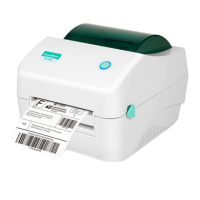
This document serves as the user manual for the SoonMark M8 Direct Thermal Barcode Printer, designed for printing labels of 100mm x 150mm. The manual provides comprehensive instructions for setting up, installing drivers, configuring settings, and ultimately printing eAWBs (electronic Air Waybills).
The SoonMark M8 is a direct thermal barcode printer, meaning it uses heat to produce images on thermal paper, eliminating the need for ink or toner. Its primary function is to print barcode labels, specifically designed for eAWBs with a paper size of 100mm x 150mm. This makes it suitable for logistics, shipping, and other applications requiring efficient and clear label printing. The device is designed for ease of use, with a straightforward installation process and intuitive controls.
The printer offers several features that enhance its usability and efficiency:
Equipment Checklist and Assembly: The manual begins with an equipment checklist, ensuring all necessary components are present for setup. These include the adapter + power jack adapter, USB printer cable, operation manual, driver disk, and power cord. The assembly process is detailed, specifically for inserting the label roll using the 'Roll Mount'. The 'Roll Mount' consists of a label spindle and core adapters. The core adapters are placed on both sides of the label roll to secure it during printing, ensuring stable and accurate label feeding.
Printer Parts Overview: A clear overview of the printer's front and back surfaces is provided, identifying key components and their functions:
Printer Setting and Connectivity: The setup process is divided into two main steps:
Driver Download and Installation: A critical aspect of using the printer is installing the correct drivers. The manual outlines a three-step process:
Size Setting for Labels: Configuring the correct label size is essential for accurate printing. This process involves:
Printing the eAWB: The final step is to print the eAWB:
While the manual does not explicitly detail a dedicated "maintenance" section, some aspects imply basic maintenance practices:
In summary, the SoonMark M8 Direct Thermal Barcode Printer is a user-friendly device designed for efficient label printing, particularly for eAWBs. Its features focus on straightforward setup, clear identification of parts, guided driver installation, precise label size configuration, and a simple printing process. While extensive maintenance details are not provided, the design allows for basic user-level intervention for label loading and visual inspection.
 General
| Brand | SoonMark |
|---|---|
| Model | M8 |
| Interface | USB |
| Weight | 150g |
| Supported Barcode Types | UPC-A, UPC-E, EAN-8, EAN-13, Code 39, Code 128 |

 To Next Page