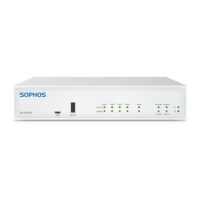
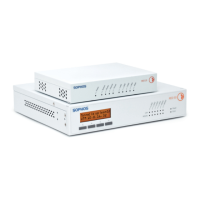
The Sophos XGS 4300/4500 appliances are designed for use in networks, serving as standalone hardware appliances in commercial, industrial, and residential environments. These devices provide robust security and network management capabilities, with a focus on ease of installation and configuration.
Function Description
The XGS 4300/4500 models are security appliances that function as firewalls, offering comprehensive protection and network control. They are designed to be integrated into existing network infrastructures, providing a secure gateway for data traffic. Key functions include:
- Network Connectivity: The appliances feature a variety of LAN ports (RJ45 and SFP/SFP+) for flexible network connections, supporting different speeds and media types. This allows for diverse network topologies, including connections to fiber or copper networks.
- Bypass Pairs: Specific LAN ports (1/2 and 3/4 on RJ45) can be configured as independent bypass pairs, ensuring network continuity even in the event of an appliance failure.
- Management and Configuration: The devices offer multiple interfaces for management, including RJ45 and Micro USB COM ports for serial console access (CLI), and a dedicated MGMT port for connecting an Admin PC. An integrated LCD display with navigation keys provides local access to system information and basic configuration options.
- Expandability: The appliances include expansion bays that can accommodate optional Flexi Port modules, allowing for customization of port types and increasing network capacity.
- Power Redundancy: The XGS 4500 model features hot-swappable power supplies and a slot for an internal redundant power supply, enhancing reliability and uptime. The XGS 4300 offers an external redundant PSU option.
- Security Features: As Sophos XGS appliances, they are designed to implement advanced firewall functionalities, intrusion prevention, and other security services to protect against various cyber threats.
- System Monitoring: LED indicators provide visual feedback on the status of power supplies, SSD activity, bypass modes, and individual Ethernet and SFP/SFP+ port link/activity and speed. The LCD display offers detailed system information such as date, uptime, CPU and memory usage, load average, and disk usage.
Important Technical Specifications
The XGS 4300 and XGS 4500 models share many core specifications but differ in certain aspects, particularly regarding storage and power supply redundancy.
Physical Specification:
- Fixed Ethernet Ports: 12 (both models)
- Fixed Bypass Port Pairs: 2 (both models)
- Max. #Flexi Ports: 16 (both models)
- #Cores Main CPU: 6/12 (XGS 4300), 8/16 (XGS 4500)
- Main Memory: 32 GB DDR4 EDD 2666 (both models)
- #Cores NPU: 18 (both models)
- NPU Memory: 8 GB DDR4 ECC (both models)
- Storage:
- XGS 4300: 1 x 240 GB
- XGS 4500: 2 x 240 GB WS-RAID-1
- Power Supply:
- XGS 4300: Internal auto-ranging AC-DC (100-240VAC), External Redundant PSU Option
- XGS 4500: Internal Hot Swappable auto-ranging AC-DC (100-240VAC), Internal Redundant PSU Option
- Power Consumption (idle):
- XGS 4300: 131 W/447.43 BTU/hr
- XGS 4500: 151 W/515.74 BTU/hr
- Power Consumption (full load):
- XGS 4300: 268.35 W/916.56 BTU/hr
- XGS 4500: 268.35 W/916.56 BTU/hr
- PoE addition enabled: 152 W/519 BTU/hr (both models)
- Mounting: Rackmount (1U sliding rails option)
- Min. rack depth: 603 mm (23.74")
- Max. rack depth: 930 mm (36.61")
- Dimensions (Width x Depth x Height): 438 x 510 x 44 mm (17.24 x 20.08 x 1.73 inches) (both models)
- Weight (unpacked/packed):
- XGS 4300: 8.7 kg/19.18 lbs (unpacked), 14.9 kg/32.85 lbs (packed)
- XGS 4500: 9.7 kg/21.38 lbs (unpacked), 15.9 kg/35.05 lbs (packed)
Environmental:
- Noise level (avg.): 54/65 dBA (Typical/Max Operation) (both models)
- Operating Temperature: 0°C to 40°C (both models)
- Storage Temperature: -20°C to 70°C (both models)
- Operational/Storage Humidity: 10% to 90% non-condensing (both models)
- Altitude: 2000m (both models)
- MTBF (hours): 126,297 (XGS 4300), 130,415 (XGS 4500)
Certifications: CB, CE, UL, FCC, ISED, VCCI, CCC, KC, BSMI, RCM, NOM, Anatel (both models)
Interfaces (Front):
- LAN Ports (RJ45):
- 1-4: 10/100/1000 Mbps (Ports 1/2 and 3/4 configurable as independent bypass pairs)
- 5-8: 100/1000/2500 Mbps
- F1-F4 (SFP+): 1/10 Gbps
- Other Ports:
- COM: RJ45/Micro USB (serial console, one port active at a time, Micro USB takes precedence if both connected)
- USB: USB 3.0 (Type A) for compatible devices (e.g., thumb drives, UPS, 3G/4G dongles)
- MGMT: RJ45 (10/100/1000 Mbps) for Admin PC connection
- Module Slots (A/B): Flexi Port for compatible modules (e.g., 8 port GbE copper, 8 port GbE SFP, 4 port GbE copper - 2 Bypass groups, 4 port 10 GbE SFP+, 4 port 2.5 GbE copper PoE, 4 port GbE copper PoE + 4 port GbE copper). SFP/SFP+/QSFP transceivers are sold separately.
Usage Features
- Quick Start Guide: The device comes with a Hardware Quick Start Guide for initial connection to peripherals and an Operating Instructions manual for security and commissioning notes.
- Sophos Firewall How-To Library: Provides detailed instructions for installing and configuring the software appliance.
- Serial Console Access: Users can connect to the CLI via either an RJ45 or Micro USB COM port. The required connection settings are 38,400 bits per second, 8 data bits, N (none) parity, and 1 stop bit.
- LCD Display and Control Keys: A multi-function LCD display and four membrane keys allow for local navigation and viewing of system information. The display shows firmware version during boot, and provides access to menus for system status (date, uptime, CPU/memory/disk usage, load average, live users), network configuration (port IPs, gateway), firmware management (show firmware, factory reset), shutdown, and reboot.
- Factory Reset: An executable action that resets all configuration settings, options, and data to their original factory state, while retaining firmware and pattern updates. This is accessible via the LCD menu.
- Shutdown/Reboot: Options available through the LCD menu to cleanly shut down or reboot the system, ensuring all running services are stopped properly.
- SFP/SFP+ Port Flexibility: Supports various GBICs (transceivers) for connecting to fiber or copper networks, allowing adaptation to existing network infrastructure. SFP+ ports on Flexi Port modules are dual-rate capable (1GbE and 10GbE).
- Rack Mounting: Designed for rack installation, with options for short or long mounting brackets and optional sliding rails. Specific instructions are provided to ensure stability and proper airflow in a rack environment.
Maintenance Features
- LED Status Indicators: Comprehensive LED indicators on the front panel provide immediate visual cues for troubleshooting:
- Power 1/2: Green (Active), Red (Failure)
- SSD: Blue (Flashing for reading/writing data)
- BP 1/2, BP 3/4: Green (Bypass mode enabled), Off (Bypass mode disabled/inactive)
- RJ45 Ethernet Connectors (ACT/LNK - Left LED): Green Solid (Link established, good connection), Green Flashing (Sending/receiving network data), Off (No power, no connection, or drivers not loaded)
- RJ45 Ethernet Connectors (Speed - Right LED): Amber On (1000 Mbps for 1 GbE, 2500 Mbps for 2.5 GbE), Green On (100 Mbps for 1 GbE, 1000 Mbps for 2.5 GbE), Off (10 Mbps for 1 GbE, 100 Mbps for 2.5 GbE)
- SFP Connectors (ACT/LNK): Green Solid (Receiving power, good connection), Green Flashing (Sending/receiving network data), Off (No power, no connection, or drivers not loaded)
- SFP+ Connectors (ACT/LNK): Green Solid (Receiving power, good connection), Green Flashing (Sending/receiving network data), Off (No power, no connection, or drivers not loaded)
- SFP+ Connectors (Speed): Blue On (10,000 Mbps), Amber On (1,000 Mbps), Off (LED not working or speed below 1,000 Mbps)
- Back side Power Supply (XGS 4500 only): Green Solid (Power), Off (No power)
- Hot-Swappable Power Supplies (XGS 4500): Allows for replacement of power supply units without interrupting operation, enhancing serviceability and uptime.
- Redundant Power Supply Options: Both models offer options for redundant power supplies (external for XGS 4300, internal for XGS 4500) to ensure continuous operation in case of a power unit failure.
- SFP/SFP+ Module Removal/Installation: Modules can be easily inserted or removed, allowing for flexible maintenance and upgrades of network interfaces. Users are advised to consult the module's operation manual for specific release mechanisms.
- Firmware Management: The LCD menu provides options to view the current firmware version and perform a factory reset, which can be useful for troubleshooting or reconfiguring the device.
- Safety Precautions: The manual emphasizes important safety notes, including warnings about battery replacement (risk of explosion), laser safety for SFP/SFP+ ports (Class 1 Laser equipment), and general server precautions for installation by qualified personnel. It also highlights the importance of proper rack mounting, grounding, and airflow to maintain functional reliability and cooling.

 Need help?
 General

 To Next Page