Need help?
Do you have a question about the Sound Devices A20-Mini and is the answer not in the manual?
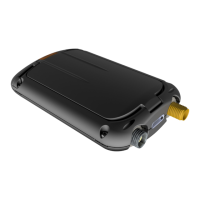
Diagrams and labels for the top panel, including Battery Power LED, Antenna Connector, and USB-C Port.
Details the Charge/Pair/Record LEDs, Audio/Timecode LED, and the lavalier microphone input.
Details how to open, close, and select battery types for the A20-Mini.
Explains the red button's functions for powering on/off and entering Bluetooth pairing mode.
Details powering the A20-Mini using AAA/NP-BX1 batteries or USB-C.
Describes using the PowerStation-8M for charging and auto power functions.
Explains how connecting a lavalier microphone can automatically power the unit.
Instructions on how to insert the A20-Mini into its holster and attach it.
Overview of A20-Remote, its features, and the phone interface layout.
Explains the transmitter list, quick list, and transmitter status indicators.
Details transmitter controls, menus, naming, frequency, and mode settings.
Covers RF power, modulation, LEDs, media formatting, and mute functions.
Accessing device info, power options, and auto-power configurations.
How to reset all A20-Mini settings to their factory defaults.
How to control multiple A20-Mini transmitters simultaneously as a group.
Navigating to group setup to manage custom groups and show/hide them.
How to rename custom groups and assign transmitters to them.
How to select groups from the transmitter list to view their status.
Controls for powering groups on/off and starting/stopping group recordings.
Stopping group recordings and understanding the "Partial" status indicator.
How the app displays the status of commands sent to groups.
How to abort group commands and the implications of cancellation.
Accessing settings like Mute, RF Power, Mode, Modulation, and Media for groups.
Returning to the Group View from the Group Menu.
Details the 3-Pin LEMO connector and cable compatibility for lavalier mics.
Explains GainForward and tuning the transmitter with receivers like A20-RX.
Details the 32-bit float WAV file recording format and naming conventions.
How to jam timecode from external LTC sources via USB-C or 8-Series.
Instructions for transferring WAV files from the A20-Mini to a computer via USB-C.
Steps to download, copy, and install firmware updates for the A20-Mini.
Explains the LED behavior during and after the firmware update process.
Describes the SD-Utility application for processing A20-Mini audio files.
Details options for renaming, clipping, converting, and exporting files using SD-Utility.
How to import WAV files into SD-Utility and remove them from the source window.
Explains how to select files for export and name processed WAV files.
Using timecode ranges to export specific segments of audio files.
Benefits and method of adding pre- and post-roll to conformed files.
Options for converting bit depth and exporting polyphonic WAV files.
Description of the 8-slot charger, its capabilities for charging, timecode, and file transfer.
How battery charging status is indicated and the auto power-on feature.
How to power the PowerStation-8M and distribute timecode to connected transmitters.
Using the PowerStation-8M for file transfer and updating firmware on multiple units.
Instructions for using the extraction tool to remove A20-Minis from the charging bays.
Details power requirements, LTC input impedance, and USB-C capabilities.
Physical dimensions, weight, and included accessories for the PowerStation-8M.
Technical specifications for frequency range, RF output power, and modulation.
Details on antenna connectors, audio input type, and impedance.
Dynamic range capabilities and how controls are accessed.
Internal storage capacity and supported WAV file formats.
Specifications for timecode input/output and USB-C interface.
Details on battery types, charging, and maximum battery runtime.
Operating conditions, water resistance, physical dimensions, and weight.
Instructions on attaching, cutting, and preparing antennas for use.
A chart specifying antenna lengths for different frequency ranges.
Guidance on which antennas to use in different geographic regions.
Instructions not to service the unit and to send it to Sound Devices for repairs.
Details the warranty period, registration, and conditions for coverage.
Lists the accessories that come with the A20-Mini.
Information on copyright, license agreements, and reproduction restrictions.
Legal disclaimer regarding Sound Devices' liability for damages.
Statement on compliance with FCC rules and frequency ranges for USA.
Details compliance with FCC rules regarding interference and RF exposure.
Compliance with Industry Canada regulations and approved antenna types.
Canadian RF compliance statements and conditions for device operation.
Information on discarding products in Europe and battery safety.
Declares conformity with EU harmonisation legislation and applied standards.
Identifies the manufacturer and signatory for the declaration.
 General
| Brand | Sound Devices |
|---|---|
| Model | A20-Mini |
| Category | Transmitter |
| Language | English |

 To Next Page