
 Need help?
Do you have a question about the Sound Devices MixPre-10T and is the answer not in the manual?
Lists the registered trademarks and brands associated with Sound Devices and other companies.
Provides information regarding the disposal of Sound Devices products in Europe.
Details the various power sources available for the MixPre-10T, including external batteries, AC adapters, and AA batteries.
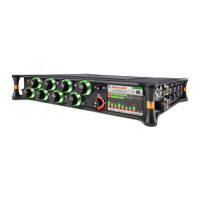
Overview of the controls and indicators on the front of the MixPre-10T, including knobs, joystick, and screen.
Details the connectors and the power switch located on the left side of the MixPre-10T.
Describes the audio outputs, inputs, and encoders on the right side of the MixPre-10T.
Details the battery mounts, SD card slot, and connections on the back of the MixPre-10T.
Explains the default screen displayed upon power-up, showing file list, timecode, and power status.
Details how to navigate the main menu, which provides access to all device features and settings.
Covers channel-specific settings like input selection, pan, phantom power, and low cut filtering.
Explains how to program and use the front panel toggle switch for quick access to frequently used functions.
Guide on how to switch between Basic, Advanced, and Custom operating modes for the MixPre-10T.
Describes the simplified, plug-and-play mode ideal for new users and basic audio applications.
Details the professional mode offering full access to all settings and options for experienced users.
Allows users to customize the interface by selecting specific features from Advanced Mode.
Explains how to save and recall device configurations for different scenarios.
Details how to select and configure input sources for each channel, including Mic, Line, Aux, and USB.
Describes how to link channel pairs for stereo or mid-side recording and control.
Explains gain staging methods when linking channels, using single or two-stage gain.
Covers compensating for time-of-arrival differences with adjustable input delay settings.
Details how to invert the phase of a signal for phase alignment or stereo imaging.
Provides access to Channel 9/10 screens and Aux In Mode settings for configuration.
Explains how to configure the Aux/Mic In connector for Mic, Line, Camera, Timecode, or Off.
Guides on routing audio signals to the main L/R and X1/X2 outputs and configuring their sources.
Covers adjusting output gains and setting output delay for downstream devices.
Details the headphone amplifier, volume control, and available headphone presets.
Instructions for creating and naming custom headphone presets and setting solo modes.
Explains the process of formatting SD cards and USB thumbdrives for reliable recording and data transfer.
Details the functions of the front panel joystick for recording, playback, rewind, fast-forward, and scrubbing.
Explains how to arm individual channels and L/R mix tracks for recording.
Covers record settings like Rec L/R, gain, sample rate, bit depth, and record triggering options.
Describes how to interpret channel knob ring LEDs and various meter views on the touch screen.
Details the MixPre-10T's capabilities as a 12-in, 4-out USB audio interface for Mac and PC.
Explains how to achieve zero-latency monitoring through the MixPre-10T when connected to a computer.
Guides on how to enter File Transfer mode for copying files between the SD card and a computer.
Describes the automatic and manual copying of project files to a USB thumbdrive for backup.
Overview of timecode capabilities, including generator, reader, and sync options for sound-to-picture.
Lists and describes the six available timecode modes: Free Run, TOD, Rec Run, BNC In, AuxTC In, HDMI TC In.
Details how to derive timecode from external sources via BNC or 3.5mm Aux/Mic In.
Explains syncing timecode via HDMI for zero drift between camera and recorder.
Describes the TOD mode for timecode stamping files with the current time of day.
How to disable the timecode feature.
Explains how timecode is displayed on the home screen, including format and frame rate indicators.
Guides on setting the internal timecode generator's frame rate, crucial for internal TC modes.
Details how to manually set initial timecode values and UBits for the internal generator.
Explains how to jam external LTC timecode into the generator to maintain synchronized timecode counts.
Configures the TC Out BNC to output timecode or word clock.
Configures the TC In BNC to receive timecode or word clock.
Sets the MixPre-10T to slave to external timecode or word clock sync reference.
Details how to access the File List, play files, edit metadata, and create new projects.
Explains the structure and conventions for naming recording files (WAV).
Guides on naming recordings, editing names and numbers, and embedding metadata.
Covers storing track names and descriptive notes within WAV files for multitrack recordings.
Explains how to undo the last recording or trash files from the File List.
Details how to create and customize .csv sound report files for project documentation.
Describes the free app for wireless remote control of the MixPre Series via Bluetooth.
Guides on how to establish a connection between the Wingman app and the MixPre recorder.
Explains how to configure recording to start from an HDMI record flag.
Details how to set recording to trigger based on incoming LTC timecode.
Explains how a connected USB keyboard can be used as a wired remote control.
Lists key combinations for controlling the MixPre-10T using a USB keyboard.
A comparison table outlining the feature differences between Basic and Advanced operating modes.
Provides detailed specifications for all audio input types, including frequency response, gain, and noise levels.
Lists specifications for the L/R Out, X1/X2 Out, and headphone outputs.
Details recorder specifications like maximum tracks, sampling frequency, bit depth, and media types.
Provides specifications for the USB audio interface, mass storage, and keyboard support.
Specifications for the display size, resolution, and color of the MixPre-10T's touch screen.
Specifications related to timecode modes, accuracy, frame rates, and BNC connections.
Specifications for Bluetooth, HDMI, Timecode, and USB keyboard remote control features.
Details power sources, including AA batteries, L-mount batteries, AC adapter, and external power.
Specifies operating and storage temperature and humidity ranges.
Provides the physical dimensions and weight of the MixPre-10T.
States that the agreement and warranty are governed by the laws of the state of Wisconsin.
 General
| Number of Inputs | 10 |
|---|---|
| Inputs | 10 |
| Maximum Sample Rate | 192 kHz |
| Maximum Bit Depth | 24-bit |
| Recording Format | WAV, MP3 |
| USB Audio Interface | Yes |
| Phantom Power | Yes |
| Timecode I/O | Yes |
| Timecode Generator | Yes |
| Bluetooth Control | Yes |
| Recorder Type | Portable Audio Recorder |
| Outputs | 2 |
| Recording Media | SD/SDHC/SDXC |
| Power Source | AA Batteries, USB |
| Weight | 1.5 lbs (680 g) |
| Number of Tracks | 12 (10 tracks + stereo mix) |
| Microphone Inputs | 4 x XLR / 4 x XLR-1/4" Combo Jack |

 To Next Page