
 Need help?
Do you have a question about the Sound Leisure Rocket and is the answer not in the manual?
Information about the company's history and manufacturing expertise in jukeboxes.
Essential safety rules for operating the jukebox safely, including water, cleaning, and ventilation.
Warnings regarding high voltage, heat, weight, and correct electrical connections.
Instructions to remove transit fixings and prepare the jukebox for initial operation.
Detailed steps for safely removing transit bars from the CD mechanism.
Steps to engage transit mode, securing the CD mechanism for relocation.
Information on the jukebox title card printing software and its free subscription.
Instructions on how to correctly insert printed title cards into the jukebox holders.
Guidelines for correctly inserting CDs into the mechanism and ensuring straightness.
How to select songs, albums, and create custom playlists.
Procedures for ejecting individual tracks or entire CDs from the jukebox.
Understanding what the jukebox display shows during operation.
Using volume keys and the mute function on the remote control.
Recommended methods for powering down the jukebox to preserve components.
Explanation of shuffle disc (album) and shuffle track (song) modes.
How to activate or deactivate shuffle modes using the remote control.
How to connect audio devices to the jukebox's auxiliary inputs.
Guide for connecting the jukebox's audio output to other audio systems.
Instructions for connecting external speakers to specific amplifier channels.
Guide to navigating and changing amplifier settings using menu buttons.
Settings for stereo/mono, master volume, bass, middle, and treble.
Settings for microphone volume and input type.
Configuring volume levels and auto/manual selection for auxiliary inputs.
Settings for using the microphone with music playback for karaoke or voiceover.
Adjusting microphone levels and audio output volumes.
Explanation of the loudness feature for enhanced sound at low volumes.
Setting default power-on volume and enabling fade-in effect for playback.
How to adjust the brightness of the top interior and lower grille lights.
Selecting and applying preset colour patterns to the lighting system.
Adjusting the overall brightness of the Diamond Pack lighting.
Freezing current lighting settings with the HOLD button.
Step-by-step guide to connect smartphones and other audio devices.
Information regarding the FCC ID and regulatory compliance for the Bluetooth module.
Common error codes indicating module detection issues.
Detailed error codes related to the jukebox's mechanical functions.
Steps to resolve errors, including CD checks and mechanism reseating.
Troubleshooting tips for problems with making music selections.
 General
| Brand | Sound Leisure |
|---|---|
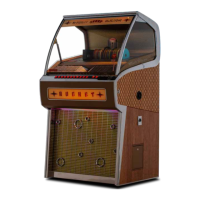
| Model | Rocket |
| Category | Jukebox |
| Language | English |

 To Next Page
