
 Need help?
Do you have a question about the Sound Sculpture SWITCHBLADE ET and is the answer not in the manual?
Details the product warranty terms and conditions, including limitations and exclusions.
Provides guidance for resolving operational issues and contacting support for assistance.
Outlines essential safety guidelines and warnings for using the equipment to prevent hazards.
Explains the function of the 32 bi-colored LEDs for signal monitoring and status indication.
Details how to access and interpret the VU meter display for signal level monitoring.
Describes LED behavior during patching and review menu navigation for connection status.
Lists the extensive capabilities and advantages of the Switchblade ET system.
Provides examples and ideas for utilizing the Switchblade ET's versatile architecture.
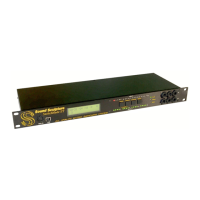
Describes the front panel switches, LEDs, and display for operation and programming.
Details all input/output jacks, MIDI, footswitch, and power connectors on the back panel.
Guides on connecting instruments, effects, and amplifiers for optimal setup.
Outlines the necessary steps for configuring the Switchblade ET's basic functions.
Step-by-step guide to programming a preset with two effects routed in series.
Step-by-step guide to programming a preset with two effects routed in parallel.
Details various methods for controlling the unit: front panel, MIDI, footswitch, computer.
Describes how to intelligently remove and re-insert effects within presets.
Explains the use of 6 relays for controlling amp channels or reverb via presets.
Allows instant adjustment of overall preset volume to match other presets.
Explains how to use controllers to dynamically sweep connection gains.
Details transmitting MIDI messages for controlling other gear when presets change.
Explains how to monitor input and output signal levels using the LED array.
Details the 3 LFOs for creating tremolo or sweeping effects with various modes.
Outlines the three main programming groups: PRESET, IO/MIDI, and MORE.
Shows preset info, footswitch functions, and controllers used in the current preset.
Explains how to access the VU meter for detailed signal level monitoring.
Guides on selecting the main programming groups: PRESET, IO/MIDI, MORE.
Allows naming presets with up to 12 characters for easy identification.
The core menu for creating audio connections, setting gains, and assigning controllers.
Provides a quick way to review all programmed connections and their settings.
Configures transmitting MIDI Program Change messages with presets.
Explains how to transmit MIDI Control Change messages for effects and controllers.
Sets the on/off state for the 6 available relays when a preset is selected.
Configures Autosweep type (SMOOTH, ONE SHOT) and sweep time.
Assigns user-defined names to all inputs and outputs for easier patching.
Assigns MIDI channels to the Switchblade and connected external/attached devices.
Allows setting input/output trims to LINE or INSTRUMENT level for optimal signal matching.
Configures assignments for the Smart Insert feature to control loops or devices.
Assigns MIDI channels to the Switchblade and external/attached devices.
Assigns MIDI CC messages to footswitch functions or expression pedals.
Controls whether MIDI Program Change messages are resent on preset changes.
Accesses additional setup and convenience menus for system configuration.
Configures the functions assigned to the footswitch for various operations.
Details how to use the Preset Manager to load and organize presets via footswitch.
Adjusts the delay between preset changes for smoother transitions.
Defines how relays operate (latching, momentary, CC-controlled).
Adjusts backlight brightness and contrast for the unit's display.
Allows copying an entire preset to another location, overwriting existing data.
Guides on calibrating expression pedals for accurate control input.
Explains how to configure output jacks for ground lift to prevent hum.
Illustrates the wiring for a compatible momentary footswitch.
Details how to control and program the Switchblade ET using SysEx commands.
Allows setting input/output trims to LINE or INSTRUMENT level for optimal signal matching.
Details the convenience of front panel audio and MIDI connections.
Covers expanded controller support, LFOs, and expression pedal integration.
Explains USB connectivity for editing and footswitch input options.
Lists reserved MIDI Control Change and Program Change messages for advanced control.
 General
| Type | Audio Router / Switcher |
|---|---|
| Routing Matrix Size | 8x8 |
| Control | MIDI, Front Panel |
| Presets | 128 |
| Dimensions | 19" x 1.75" x 6" (1U Rackmount) |
| Weight | 5 lbs |
| MIDI I/O | In, Out, Thru |
| Power Supply | 9V DC |
| Inputs | 8 x 1/4" TRS |
| Outputs | 8 x 1/4" TRS |

 To Next Page