
 Need help?
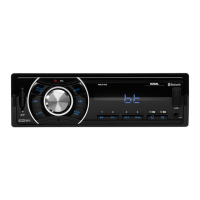
Do you have a question about the Sound Storm ML41B and is the answer not in the manual?
Steps for installing the radio unit in a vehicle, including securing the sleeve and chassis.
Instructions on how to stream audio from a mobile device via Bluetooth and control tracks.
Guide to connecting and using external audio devices via the AUX input.
Controls the power state of the unit, allowing it to be turned on or off.
Allows cycling through available input sources like FM, USB, SD, AUX, and Bluetooth.
Steps to pair a mobile phone with the unit via Bluetooth settings.
 General
| Bluetooth | Yes |
|---|---|
| USB Port | Yes |
| Aux Input | Yes |
| Frequency Response | 20Hz-20kHz |
| Radio Tuner | FM |
| Inputs | RCA |

 To Next Page