EasyManua.ls Logo

Sound Storm SDC26B - User Manual

Sound Storm SDC26B
15 pages
Print Icon
To Next Page IconTo Next Page
Loading...
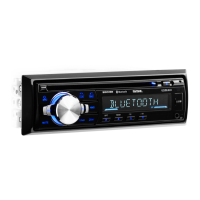
SDC26B
BLUETOOTH® • MP3-COMPATIBLE CD
AM/FM RECEIVER
SDC26B
BLUETOOTH® • MP3-COMPATIBLE CD AM/FM RECEIVER
SOUND STORM LABORATORIES
3451 Lunar Court, Oxnard CA 93030
TECHNICAL ASSISTANCE
www.soundstormlab.com/customer-support
888-387-8676 US Toll-free
805-751-4855 Customer Service
USER’S MANUAL
0318
iPod
®
and iPhone
®
are registered trademarks of Apple Inc. in the U.S. and other countries.
Sound Storm Laboratories is not aliated with Apple Inc.
The Bluetooth® word mark and logos are registered trademarks owned by Bluetooth SIG, Inc. and any use of such marks by
Sound Storm Laboratories is under license. Other trademarks and trade names are those of their respective owners.
AUDIO
OUTPUT
COMPATIBLE
MP3
USB
AUDIO
STREAMING
AUX
INPUT
WIRELESS
RC

Questions and Answers

Summary

Precautions

How to Handle Discs

Guidelines for handling discs to prevent damage and ensure proper playback.

Lithium Battery Cell Warnings

Safety warnings regarding potential cell leakage and disposal of lithium batteries.

Installation

Prepare Radio

Steps to prepare the radio before installation, including disconnecting the battery.

Mount Radio

Instructions for physically mounting the radio unit into the vehicle's dash.

Wiring Connections

Diagram and instructions for connecting the radio's wiring harness.

Removal of the Main Unit

Steps to remove the main unit from its mounting sleeve or housing.

Control Panel Button Locations

General Operation

Basic Controls

Covers turning the unit on/off, adjusting volume, changing sources, and navigating menus.

Audio Adjustments

Details on controlling loudness, preset equalizer, and mute functions.

System Reset

Instructions for resetting the system to factory default settings.

Radio Operation

Frequency and Band Selection

Switching between US/EU frequencies and selecting radio bands (FM1-3, AM1-2).

Tuning Methods

Manual tuning and automatic seek tuning procedures for radio stations.

Preset Station Management

Storing and recalling up to 30 preset radio stations using AMS and manual methods.

Reception Modes

Selecting Local/DX for signal strength and Stereo/Mono for audio quality.

Disc;USB Operation

Media Insertion and Ejection

Procedures for inserting and ejecting discs and USB storage devices.

Playback Controls

Basic playback functions like play/pause, next/previous track, and fast forward/backward.

Playback Modes

Utilizing introduction scan, repeat track, and random playback modes.

Track Search

Methods for searching specific tracks or files by number or name.

Track;Folder Navigation

Navigating through tracks and folders on USB devices.

Auxiliary Input Operation

Bluetooth Operation

Bluetooth Pairing and Connection

Steps to pair a mobile phone with the car audio system via Bluetooth.

Call Management

Handling incoming/outgoing calls, redialing, and switching audio sources.

Audio Streaming

Instructions for streaming audio from a connected Bluetooth device.

Remote Control

Remove Insulating Sheet

Procedure for removing the protective tab to enable remote control functionality.

Replace Lithium Battery Cell

Guide on replacing the remote control's lithium battery.

Remote Control Operation

Guidelines for optimal positioning and distance for remote control use.

Button Names and Locations

Identification and function of each button on the remote control.

Troubleshooting

Power and Disc Issues

Solutions for problems related to power, disc loading, and reading.

Audio and Operation Issues

Troubleshooting steps for no sound, unresponsive controls, and sound skips.

Radio and Reception Issues

Resolving problems with radio reception, station selection, and antenna connection.

Specifications

General

Overall power supply, current consumption, and maximum output specifications.

Radio

Frequency ranges and sensitivity for FM and AM radio reception.

CD;USB

Supported audio formats, USB port type, charging capabilities, and audio output specs.

BT

Supported Bluetooth profiles and frequency range.

Sound Storm SDC26B Specifications

General IconGeneral
BrandSound Storm
ModelSDC26B
CategoryCar Stereo System
LanguageEnglish