EasyManua.ls Logo

Sound Town ZETHUS Series - User Manual

Default Icon
2 pages
Print Icon
To Next Page IconTo Next Page
Loading...
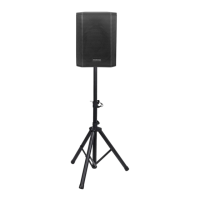
ZETHUS-112BPW
PROFESSIONAL FULL RANGE ACTIVE LINE ARRAY
(Built in Class D amplifier with DSP)
Sound Town Inc. Accepts no liability for any loss which may be
suffered by any person who relies either wholly or in part upon
any description, photograph, or statement contained herein.
Technical specifications, appearances and other information are
subject to change without notice. .
For the applicable warranty terms and conditions, including addi-
tional information regarding Sound Town's limited warranty, please
find details online at: .
Https://www.soundtown.com/pages/return-warranty .
PRODUCT MANUAL
EN
AMPLIFIER PANEL GUIDE
0
1
2
3
4
5
6
7
1. Balanced XLR input.
2. Passthrough XLR output.
3. RS-485 connector.
4. USB connector (Type B).
5. Mode selector.
6. Volume control.
7. Limit LED.
8. Power LED.
9. AC input (110V~240V)
10. AC output (110V~240V)
11. Power switch.
Question and Answer IconNeed help?

Do you have a question about the Sound Town ZETHUS Series and is the answer not in the manual?

Summary

Amplifier Panel Overview

Input;Output Ports

Describes Balanced XLR, Passthrough XLR, RS-485, USB, and AC input/output connectors.

Controls and Status Indicators

Details the mode selector, volume control, power switch, and limit/power LEDs.

Operation Guide

Software Setup and Connection

Steps for downloading, installing, and connecting the DSP software and amplifier via USB.

DSP Software Configuration

Guide to using the software for filter, EQ, delay, and polarity settings.

Mode Selection

Describes default factory settings for crossover points selectable via the mode selector.

Overview

The Sound Town ZETHUS-112BPW is a professional full-range active line array speaker, featuring a built-in Class D amplifier with Digital Signal Processing (DSP). This device is designed to provide high-quality audio output and offers extensive control over sound characteristics, making it suitable for various venues and applications.

Function Description:

The core function of the ZETHUS-112BPW is to amplify and process audio signals for sound reinforcement. The integrated Class D amplifier ensures efficient power delivery, while the DSP module allows users to precisely tailor the sound curve to specific environments. This includes adjusting equalization, crossover points, delay, and polarity. The device can be controlled via dedicated software on a PC, offering a comprehensive interface for sound engineers and users to customize settings.

Important Technical Specifications:

  • Amplifier Type: Class D
  • DSP: Built-in, professional-grade
  • Power Input: AC 110V-240V, 50/60Hz
  • Power Output: AC 110V-240V, 50/60Hz (for daisy-chaining)
  • Audio Inputs: Balanced XLR input
  • Audio Outputs: Passthrough XLR output
  • Control Interfaces: RS-485 connector, USB (Type B) connector
  • Frequency Range (Adjustable via DSP):
    • High Pass Filter (HPF): Adjustable from 19.7 Hz (e.g., 24db-Bworth)
    • Low Pass Filter (LPF): Adjustable up to 21900 Hz (e.g., 12db-Bworth)
    • System Equalization (EQ): 6 adjustable frequency points with control over Gain, Q Value, and Type.
  • Delay: System Delay and High Delay, adjustable in milliseconds, meters, or feet.
  • Polarity: System Level and High Level polarity control.

Usage Features:

The ZETHUS-112BPW offers a user-friendly experience with both physical controls and a sophisticated software interface.

Physical Controls:

  • Balanced XLR Input/Passthrough Output: Standard connections for integrating into professional audio systems. The passthrough output allows for easy daisy-chaining of multiple units.
  • RS-485 Connector: Enables network control of multiple speakers, particularly useful for broadcast mode where settings can be applied to several units simultaneously.
  • USB Connector (Type B): Provides a direct connection to a PC for DSP configuration.
  • Mode Selector: A physical knob to quickly switch between predefined sound modes (e.g., Crossover points at 2K Hz, 2.2K Hz, 2.5K Hz, 3K Hz).
  • Volume Control: A rotary knob for adjusting the overall output volume.
  • Limit LED: Indicates when the amplifier is approaching or reaching its maximum output, helping to prevent clipping and distortion.
  • Power LED: Indicates the power status of the unit.
  • Power Switch: Toggles the device on/off.
  • AC Input/Output: Standard power connections, with an output for daisy-chaining power to other units.

Software Control (ZETHUS-112BPW DSP Software):

The dedicated DSP software provides granular control over all audio parameters:

  • Connection Management: Users can connect to the speaker via USB, identify the device ID, and manage multiple speakers. The "Broadcast Mode" allows simultaneous control of several units (via RS-485), while individual control requires setting unique device IDs.
  • Mode Saving and Loading: The software allows users to save up to 8 custom sound modes (user0-user7) and load them as needed. These modes can also be saved to and loaded from the PC. The device defaults to a specific setting if disconnected from the PC, but users can define a new default by saving their settings to the PC and then loading them.
  • Filter Settings (HI PASS/LOW PASS): Users can adjust the High Pass Filter and Low Pass Filter frequencies and select from various sloping ratios to precisely define the speaker's frequency response.
  • Equalization (SYSTEM EQ): Six adjustable frequency points are available. For each point, users can control:
    • Gain: Adjust ascension or attenuation (in dB).
    • Q Value: Defines the frequency range affected by the EQ. A small Q value indicates a wider range, while a large Q value indicates a narrower range.
    • Type: Allows selection between different EQ types, such as Parametric EQ (PEQ), to target specific frequency ranges.
  • Delay Settings (SYSTEM DELAY / HIGH DELAY):
    • System Delay: Sets the delay for the entire system (both channels).
    • High Delay: Sets the delay specifically for the full-range channel.
    • Delay can be adjusted in milliseconds, meters, or feet, enabling precise time alignment in multi-speaker setups.
  • Polarity Control (SYSTEM LEVEL / HIGH LEVEL):
    • System Level Polarity: Changes the polarity for the entire system.
    • High Level Polarity: Changes the polarity specifically for the full-range channel. This feature helps correct phase issues in complex audio systems.
  • Bass Enhancer: A dedicated control to boost low-frequency response.
  • Mute Function: Allows muting of the audio output.
  • Filters Reset: A convenient option to reset all filter settings to their default values.

Maintenance Features:

While the manual does not explicitly detail maintenance features, the design implies a focus on software-driven configuration and robust hardware.

  • Software Updates: As with any DSP-driven device, the ability to update the DSP software (downloadable from the manufacturer's website) ensures access to the latest features, bug fixes, and performance enhancements.
  • Troubleshooting: The Limit LED provides a visual cue for potential overload conditions, aiding in quick troubleshooting of audio issues. The Power LED confirms operational status.
  • Warranty: Sound Town Inc. provides a limited warranty, with detailed terms and conditions available online, ensuring support for product defects and issues.

In summary, the Sound Town ZETHUS-112BPW is a versatile and powerful active line array speaker, offering professional-grade audio performance and extensive customization options through its integrated DSP and intuitive software interface. Its robust design and comprehensive control features make it an ideal choice for demanding sound reinforcement applications.

Sound Town ZETHUS Series Specifications

General IconGeneral
BrandSound Town
ModelZETHUS Series
CategorySpeakers
LanguageEnglish

Related product manuals