SOUNDBOKS
Quickstart Guide
04 To connect, find and select
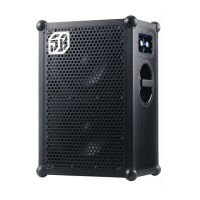
SOUNDBOKS #YourTeamID in
your device’s Bluetooth settings.
Your unique Team ID is located on
the back of your speaker.
05 Choose your favorite song, crank
it up to 11, and vibe out!
03 Power up your SOUNDBOKS
by firmly pressing the POWER
button. Once the LEDs around
the volume knob light up, you’re
ready to connect.
02 Once charged, slide (don’t force)
The Battery LED-side-down until
it fits snugly into the battery
slot. Then plug the round power
connector into the SOUNDBOKS.
01 Before first use, charge the
battery fully by using a USB-C
compliant charger, or by using the
official SOUNDBOKS The Charger
(sold separately). Charge time
using The Charger is approx. 2
hours.
Wanna play music while charging? Make sure
to use a USB-C compliant power supply able
to deliver at least 65W, or use the official
SOUNDBOKS The Charger (sold separately).
Need help?
Go to Help Center


 To Next Page