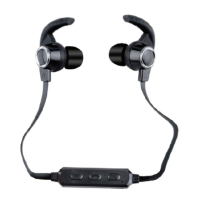
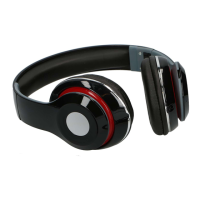
4
INSTRUCTIONS FOR USE
Charging Instructions
The Bluetooth Headphone comes with a built in rechargeable battery. Before using it for
the first time we recommend you charge the battery fully. Only use the supplied USB
Cord to charge the Bluetooth Headphone. Please charge for about 2 hours.
Connect the USB charging cable to a computer USB port or other suitable charging
source and the Micro USB plug to the charging port of the device. The Red LED light
turns on while the device is charging. It takes 2 hours for the unit to fully charge. When
the battery is fully charged, Red LED light will turn off.
Turning on/off the device
Press and hold the Power ON/OFF button for around 6 seconds to turn ON the device
with sound message “Bluetooth mode”, Red and Blue LED lights will flash alternatively.
Press and hold the Power ON/OFF button for around 2 seconds to turn OFF the device
with sound message “Power off”.
Pairing the Headphone with Bluetooth devices (phone or music device)
Ensure the Headphone is turned off, and then press and hold the Power ON/OFF button
for around 6 seconds to turn on with sound message “Bluetooth mode”, Red and Blue
LED lights will flash alternatively. Place the Headphone and Bluetooth device (phone or
music device) so that they are no further than 3 feet apart;
Activate the Bluetooth function on your Bluetooth device (phone or music device).
Please refer to the manufacturer’s instructions for instructions on enabling Bluetooth on
your device.
Once you have activated Bluetooth on your device, select the “SL BT HDSET” from the
list of available Bluetooth devices.
If required, enter the password ‘0000’ to confirm & finalize pairing.
Once paired successful, indication tone will be heard and the only Blue LED is ON.
You can now start to use the Headphone.
If pairing is unsuccessful, turn off the device first and then re-pair following the above
steps.
Once you have paired the Headphone with a device, the Headphone will remember this
device and will pair automatically when the device’s Bluetooth is activated and in range.
You do not need to re-pair any previously connected devices.
The Bluetooth Headphone will attempt to automatically connect to the last device it was
paired with when switched on. If you want to pair it with a new device, please follow the
steps outlined above.
Once the Bluetooth Headphone is paired with your device the music will transmit
through the Bluetooth Headphone. Please refer to your device’s user manual for further
information.


 To Next Page