CD9290 / English Instruction Manual
6
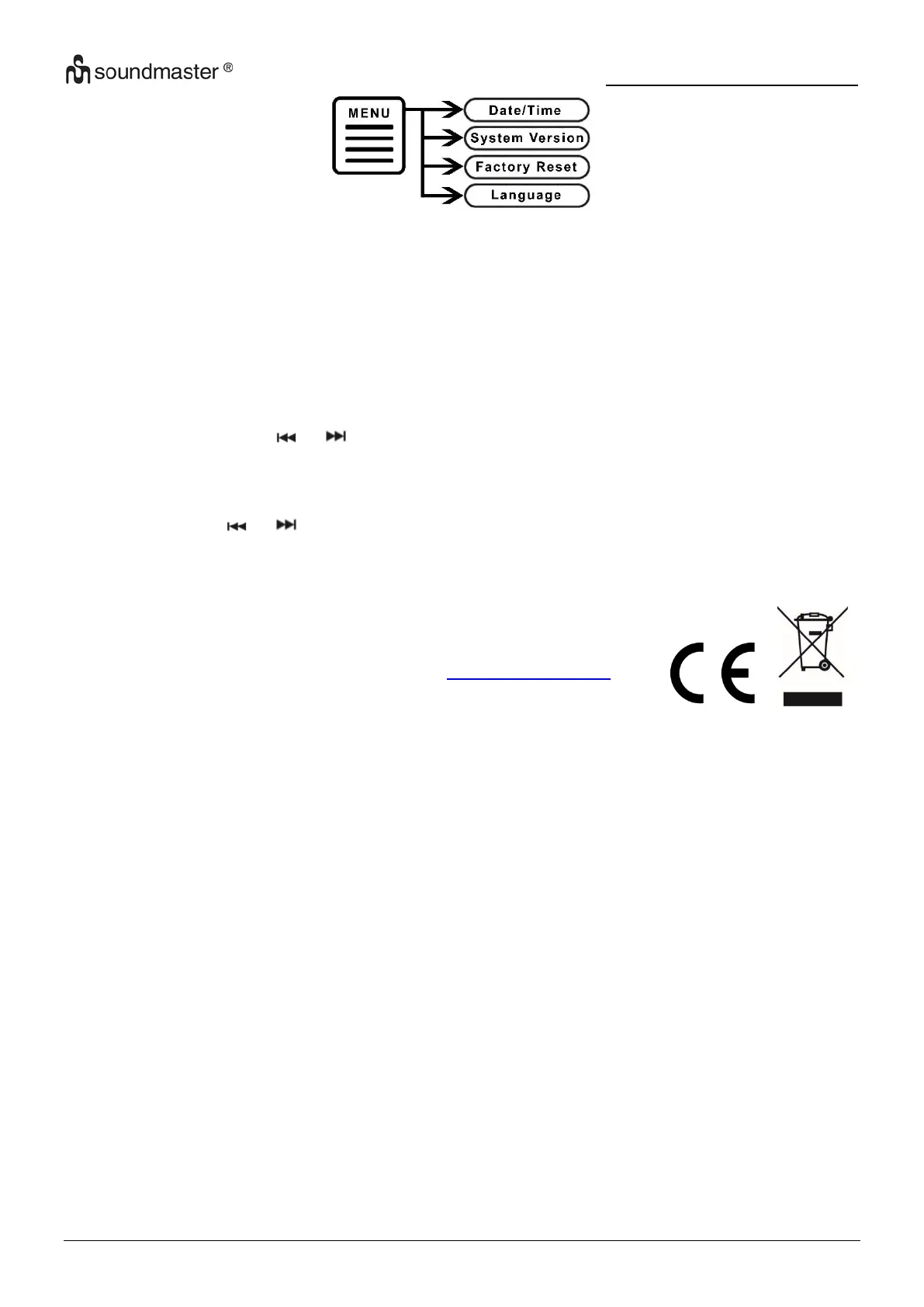
➢ Date/Time
Manual adjustment of date and time
➢ System version
Show the current installed software version
➢ Factory reset
NOTE: When resetting the device to factory settings, all stored stations and settings are
deleted!
Select “Yes” with the or button and press “OK / INFO” to confirm. The display show
“Restarting”. After the restart, the unit starts automatically a new DAB station scan.
➢ Language
Select with the or button the desired menu language and press “OK / INFO” to
confirm.
Technical changes and misprints reserved.
Copyright by Woerlein GmbH, 90556 Cadolzburg, www.soundmaster.de
Duplication only with the permission of Woerlein GmbH


 To Next Page