EasyManua.ls Logo

SOUNDMASTER PDB1600 - Remote Control; Content of Delivery; Battery Installation

SOUNDMASTER PDB1600
Print Icon
To Next Page IconTo Next Page
To Previous Page IconTo Previous Page
Loading...
PDB1600 / English Instruction Manual
2
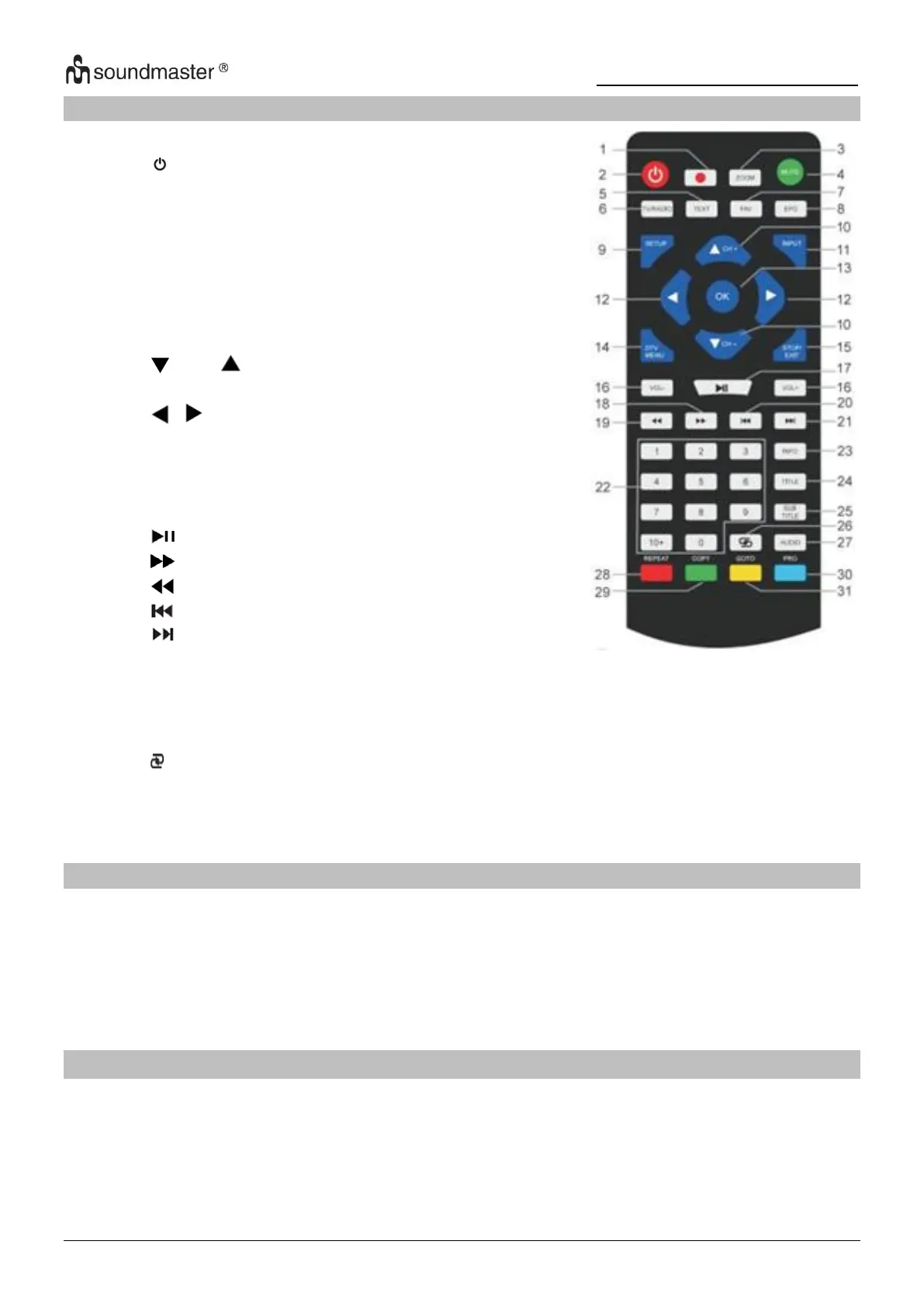
REMOTE CONTROL
1
REC USB Recording
2
On/Off button
3
ZOOM
4
MUTE
5
TEXT
6
TV/RADIO
7
FAV
8
EPG
9
SETUP
10
CH- / CH+
11
INPUT
12
/ button
13
OK
14
DTV MENU
15
STOP / EXIT
16
VOL- / +
17
PLAY/PAUSE
18
19
20
- Skip backward
21
- Skip forward
22
Numeric Keys 0-9 / 10+
23
INFO
24
TITLE
25
SUB TITLE
26
27
AUDIO
28-31
Operational keys for television text mode and
under edit mode
CONTENT OF DELIVERY
Main unit
Remote control
AC adapter
12V adapter
Game controller
Audio-/Video cable
DVB-T2 antenna
Instruction manual
Game disc
BATTERY INSTALLATION
1. Remove the battery compartment cover on the back side of the remote control.
2. Insert two AAA batteries with the correct polarity into the battery compartment (see
illustration in the battery compartment).
3. Close the battery cover again.

Related product manuals