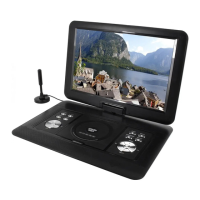
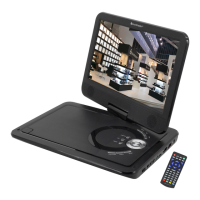
PDB1600 / English Instruction Manual
4
SYSTEM SETUP
TV SYSTEM : Select the TV standard format (PAL, NTSC, Auto).
➢ PAL: Select this if the connected TV is PAL system. It will change the video signal of a
NTSC disc and output in PAL format.
➢ NTSC: Select this if the connected TV is NTSC system. It will change the video signal of a
PAL disc and output in NTSC format.
➢ AUTO: Change the video signal output automatic according to the playing disk format.
POWER RESUME: Starts the DVD playback at the last position.
TV TYPE: Adjustment of the display format (4:3PS, 4:3LB or 16:9).
PASSWORD: Set password for the lock function.
RATING: Some DVDs may have a parental level assigned to the complete disc or to certain
scenes on the disc. This feature lets you set a playback limitation level. The rating levels are
from 1 to 8 and are country dependent. You can prohibit the playing of certain discs that are not
suitable for your children or have certain discs played with alternative scenes.
DEFAULT: Settings will be restored
LANGUAGE SETUP
OSD LANGUAGE: Select your own preferred language setting.
AUDIO LANGUAGE: Selects a language for audio, if available.
SUBTITLE LANGUAGE: Selects a language for subtitle, if available.
MENU LANGUAGE: Selects a language for the disc menu, if available.
AUDIO SETUP
AUDIO OUT: Select the format of the audio output.
KEY: Pitch of the language.
VIDEO SETUP
VIDEO: No selection possible!
BRIGHTNESS: Adjustment of brightness.
CONTRAST: Adjustment of contrast.
HUE: Adjustment of hue.
SATURATION: Adjustment of saturation.
SHARPNESS: Adjustment of sharpness.
DIGITAL SETUP
OP MODE: Select audio output (fixed or regulated).
DYNAMIC RANGE: Dynamic range compression.
DUAL MONO:
➢ Stereo: Left mono sound will send output signals to left speaker and right mono sound will
send output signals to right speaker.
➢ Mono L: Left mono sound will send output signals to left speaker and right speaker.
➢ Mono R: Right mono sound will send output signals to left speaker and right speaker.
➢ Mix-Mono: Left and right mixed mono sound will send output signals to left and right
speakers.


 To Next Page