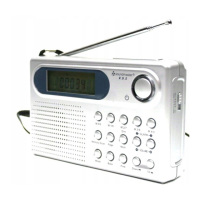
WE320 manual of English
2.5 Review the world time
Press <Mode> again or four times, the previously accessed time zone goes solid in the hour-minute
section with the corresponding city abbreviation goes flashing in the right. ‘CITY’ goes solid at the top.
Press <Up> or <Down> to select the desired time zone according to the table in 2.4.
Press <Snooze> to change the daylight saving of that time zone. The current status is reflected by the
‘SUN ON’, then disappear after 5 seconds, press again <Snooze> ‘SUN OFF’ flash in LCD.
When no key has been pressed for 10 seconds, the current setting is confirmed and it switches to auto-run
mode automatically.
2.6 Set the SDA
Press <Mode> fifth time,the date & ‘SDA’ goes flashing alternative.
Press <Page> to select 1-10 SDA which want to set
Press <Up> or <Down> to set the Special Date.
Press < Snooze > to ignore the year
When no key has been pressed for 10 seconds, the current setting is confirmed and it switches to auto-run
mode automatically.
In case of ignore the year the SDA will be active ever year at same date
2.7 Area selection for MW
Press <Mode>sixth times, the current area “EU 9K” goes solid.
Press <Up> once to change the area to “EU” and “EU 9K” goes solid
Press <Down> once to change the area to ‘US’ and “US 10K” goes solid.
When no key has been pressed for 10 seconds, the current setting is confirmed and it switches to auto-run
mode automatically.
2.8 Set the duration for Snooze
Press <Mode> seventh times set the duration for snooze.
Press <Up> to advance the time by 1 minute
Press <Down> to move the time back by 1 minute
Press and hold <Up> or <Down> to set the clock in fast mode
When no key has been pressed for 10 seconds, the current setting is confirmed and it switches to auto-run
mode automatically.
The duration of snooze is from 1~59 minutes.
2.9 12/24 hours mode
Press <Mode>eight times.
Press <Up> display 24 hours clock, press <Down> display 12 hours clock and .
2.10 Sleep Mode
Press <Sleep> once to review the current sleep timer. Or ‘ON’ goes solid if sleep has not been activated
Press <Sleep> again the change the current setting down to the nearest multiple of 10 minutes within
90-10 min.
Press <Sleep> when the current setting is 10 min, ‘OFF’ goes solid which implies the sleep will be switched
off.
Press other key to start its corresponding function with the current sleep timer setting valid
When no key has been pressed for 10 seconds, the system goes back to auto-run mode with sleep timer
setting valid.
2.11 Timer setting (Radio Off)
Press and hold <Page> to enter STOP WATCH, display shows“00.00.0.U”
Press <Snooze> once to start, the timer’s max value is 99 minute and 59 second.
Press <Snooze> again to pause.
Press and hold <Snooze> to clear the timer.
Press <Page> to leave the timer.
When it counts up to the max value, the system returns to stay in 99.59.0 and flashing.
2.12 The Countdown Timer setting (Radio Off)
Press and hold <Memory Scan> to enter the timer preset mode, display shows “d 00.00”
Press <Up> or <Down> to adjust the down-count value.
Press <Snooze> once start to down-count timer,press <Snooze>again snooze timer.
When the time down counts to 00.00, the voice “be…be…be…be…be” will be heard for one minute.


 To Next Page
 Loading...