EasyManua.ls Logo

SoundMax SM-CCR3041 - User Manual

SoundMax SM-CCR3041
40 pages
Print Icon
To Next Page IconTo Next Page
Loading...
SM-CCR3041
USB/SD media player USB/SD-медиаплеер
Instruction manual Руководство по эксплуатации

Questions and Answers

Summary

Important safeguards

Accessories

Installation;Connections

Dismantling the unit

Step-by-step guide for safely removing the unit from the dashboard.

Connection diagram

Using the ISO Connector

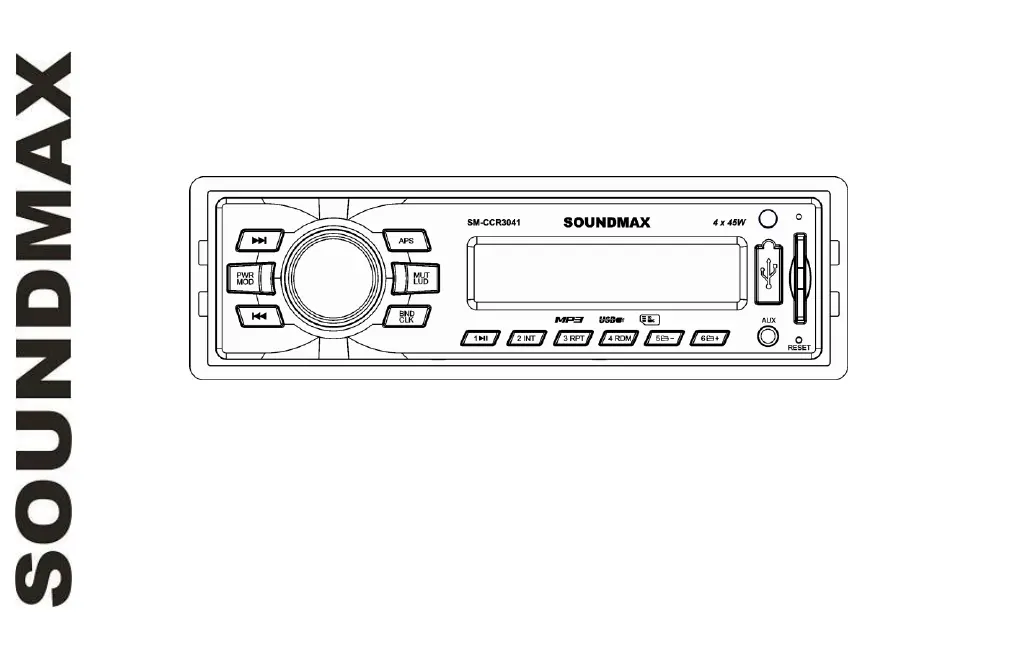
Panel controls

LCD layout

General operations

Turning the unit on;off

Procedure to power the unit on and off using the PWR/MOD button.

Reset the unit

How to reset the unit to its initial state using the reset button.

Mode selection

Switching between Radio, AUX, USB, and Memory Card modes.

Volume control

Adjusting the audio volume using the VOLUME knob.

Mute function

How to temporarily silence the audio output with the MUT/LUD button.

Loudness

Activating loudness for enhanced bass/treble at low volumes.

Audio parameter setting

Adjusting bass, treble, balance, and fader settings.

Preset equalizer modes

Selecting pre-defined sound profiles like ROCK, POP, CLASS.

Clock

Setting the time on the unit display using the BND/CLK button.

Aux input

Radio operations

Band select

Selecting between FM1, FM2, and FM3 radio bands.

Manual;automatical tuning

Tuning radio frequencies manually or automatically seeking stations.

Storing and recalling stations

Saving and accessing preset radio stations.

USB;SD;MMC operations

Connecting a USB;Memory card

Instructions for inserting and removing USB and memory cards.

Playback

Automatic playback initiation upon connecting USB/memory card.

Playback Controls

Using buttons for track selection, fast forward/rewind, pause, intro, repeat, and random.

Troubleshooting guide

Cleaning the unit body

Instructions for cleaning the exterior of the unit with a soft cloth.

Specification

SoundMax SM-CCR3041 Specifications

General IconGeneral
BrandSoundMax
ModelSM-CCR3041
CategoryMedia Player
LanguageEnglish

Related product manuals