3
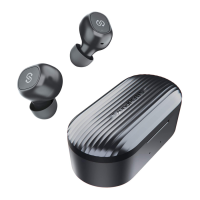
Truengine SE
sounopen-rs
ckage Content
00
Bluetooth Version
Bluetooth Chipset
Aucio Decode
Workin Qa
RayingTime
Earbuds Charging Time
ChargingTimeof ChargingCase
Charging Case Rect-age Earphcnes
Earpiece Dimersion (L • W • H)
Product Diagram
utton Controls
Once connected, the Truengine SEheadphones can control meda and phone
calls from a phone or tablet
Play Next
Answer/Ha up Phone Cal
Reject phone Cal
Cdl Switching
Enter Pairhg Mode Manually
Activate VoiceAssistcnt(e g
Sirifor IOSdevices)
aring the earphones
Long press the right Multifunction button for 1 5s
Press Multifunction button once
LongpressMultifunction button forl 5s
LongpressMultifunction button for 2s
Long press Multifunction button for 5s
Triple click the Multifunction button
G
etting Started
Pairing&Re-pairing
SOUNDPEATSTruengine SEHeadphones can remember devices previously
paired If you have paired earbuds with a device once, simply activate the
bluetooth on your device, take out earbuds from charging case and close
the lid, they wil automatically reconnect with that device. If earbuds don't
automatically connect, select the earbuds name on your bluetooth device
to connect.
Play in mono mode: Leff and right earbud can be used separately when
SOUNDPEATSTruengine SEhave paired successfu ly
2
eft and right earbud wil pair with each other when take out both earbuds
simutaneously from charging case with power. Next the ed indicator of left
earbud WII goes out, and led indicator on right earbud will fiash red and
white alternately and you can hear voice prompt "pairing", which indicates
that earbuds succeed in entering pairing mode
Please find the name of "SOUNDPEATS Truengine SE" on the blue 00th list of
your phone, click to connect, you can hear voice prompt "connected" from
right earbud. Then you will get a pairing request again, please continue to
click "SOUNDPEATS Truengine SE L" to connect
Note:
Bluetooth 5.0
QCC3020
Apt-x AAC sac
33 feet/ 10m (no obstacle)
About 6 hours
About 2 hours
2 5 hours
3.5 times
24 9*21 4*27 9mm(earbud)
2
3
Identify left and right earbud
AdÅ_JStearbuds to find the most
comfortable place
nsert earbuds to ensure sea well
your ear channel
IOS
Bluetooth Paüing Request
"Heodset" woukd like to pai with your iPhone
Bluetooth Pamng Request
pairwithSCQN)PEATSTruengine SEL?
Cance
2
3
When SOUNDPEATSTruengine SELHeadphones request pairing, please select
pairing, otherwise earbuds can't be used in mono mode
When SOUNDPEATSTruengine SEHeadphones connect with phone equipped
with Qualcomm Snapdragon 855 and higher version chipset, there will be frwo
pairing name appeared on the bluetooth list and both of them will automati-
cally connect, you don't need to do the second pairing by manua
f you want to change pairing device but already in "connected" status with
previous one, you can force earbuds to enter into pairing mode-only need
press the Multifunction button for 5s
Factory Reset
(Try the following steps if you fail to build connection between two earpieces or
earbuds to device)
1 Delete pairing name from your device's bluetooth list.
2 Place both erabuds back into the charging case and ensure that both
earbuds are in charging status, press and hold both multifunction buttons for
5s until both indicators flash in white twice. Reset complete
Charging
SOUNDPEATS Truengine SE are equipped with a charging case which is not only a
charging dock to charge the headphones but also a carrying case with built-in
rechargeable battery, the charging case can provide up to 3.5 times full charge for
both headphones
Charging the headphones
The headphones are partially charged at the factory. Please make sure they are fu
charged before first use
1 Put the earbuds into corresponding charging slots, make sure the charging
contactors are attached
2 The LED indicators on the headphones turns red to start charging
3 The headphones are fully charged when LED indicators lights out
Function
Power On
Power Off
Volume
Volurne Down
Play Previous
Operation
Automatic: Take out earbuds from charging case
Manual: Long press Multifunction button for 1 5s while
earbuds are off
Automatic: Place earbuds back into charging case
Manual: LongpressMultifunction button for 8swhile
earbuds are on
Doubleta ri ht Multifunction button
Doubleta left Multfunction button
Longpressthe left Multifunction button tor 1 5s
Charging the case
When the charging case ISIn low battery level,
only one white led indicator fiashes,please
recharge the case:
I Connect the charging port with USBcharging
adapter or computer USB port (current less than
5VlA)
2 Please charge the earphones at least once
every 3 months when not in use for a long time
Warran
We warrant It-is device 12 VIONTHS frorn date of the orOnaI purchase for
defects.
If the device fails due to a marufacturing defect, please contact seller directly to iritiate
return and warranty process
@ support@soundpeatsaudio.com
@ www.soundpeatsaudio.com
Please SCCM code to know the PDF user manual
https://soundpeatsaudio.com/downloads/
USER MANUAL Manuel d'Utilisation Bedienungsanleitung
Manual de Instrucciones Manuale di istruzioni


 To Next Page
 Need help?
 General