EasyManua.ls Logo

Soundstream TARANTULA RS.2 - User Manual

Soundstream TARANTULA RS.2
16 pages
Print Icon
To Next Page IconTo Next Page
Loading...
FCC ID NOTICE
This device complies with Part 15 of the FCC rules. Operation is s
ubject to the following conditions:
1. This device may not cause harmful interference, and
2. This device must accept any interference received, including inte
rference that may cause undesired operation.
CAUTION: Changes or modifications not expressly approved by the part responsible for compliance void the user’s authority to operate
www.security.soundstream.com
this device.
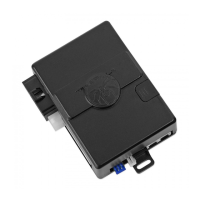
RS.2
REMOTE VEHICLE STARTER
USER’S OPERATION GUIDE
REV.5

Other manuals for Soundstream TARANTULA RS.2

Questions and Answers

  • W
    William ReyesAug 1, 2025
    Why is my Soundstream TARANTULA RS.2 vehicle not remote starting?
    • J
      Julian SotoAug 1, 2025
      If your vehicle isn't starting remotely, consider these potential solutions: Count the park light flashes and refer to the diagnostics page. Check the remote's battery voltage. Ensure you're within the operating range. Verify if the vehicle's anti-theft system is activating. You might also need to reprogram the remotes using Transmitter Program Mode.
  • C
    Christopher YangAug 5, 2025
    Why does my Soundstream TARANTULA RS.2 vehicle start then shut off?
    • M
      Melissa AcostaAug 5, 2025
      If your vehicle starts and then shuts off by itself, it might be due to the vehicle's anti-theft system activating. Check if this is the case. Also, determine whether the starter motor remains engaged for too long. If so, reprogram the tach and try again. If the problem persists, consult a dealer.
  • K
    kenneth17Aug 10, 2025
    What to do if Soundstream TARANTULA RS.2 Remote Starter system does not respond to the remote transmitter?
    • A
      Anthony RichardsonAug 10, 2025
      If the system isn't responding to the remote transmitter, try using your second remote. Check the batteries in the remote. Reprogram the remotes using Transmitter Program Mode. Make sure you are within operating range.
  • E
    Eric MackAug 15, 2025
    How to fix Soundstream Remote Starter doors that do not lock or unlock?
    • M
      Mrs. Amanda Smith MDAug 15, 2025
      If the doors aren't locking or unlocking, first determine whether this optional feature was installed. Have your installer check the door lock connector. You may also need to have the bypass or keyless module reprogrammed.
  • M
    marcus81Aug 20, 2025
    Why does Soundstream Remote Starter horn does not honk?
    • D
      David DixonAug 21, 2025
      If the horn isn't honking, first check if this optional feature was installed. Try panic mode to see if the horn activates. If not, have the system's horn output checked.
  • C
    Carrie LawsonAug 26, 2025
    What does it mean when lights on the antenna of Soundstream Remote Starter are flashing?
    • K
      kristina13Aug 26, 2025
      When the doors are locked by the remote, the LEDs will flash until the unlock button is pressed. If you do not want the LEDs to flash, have your installer program the LED flashes off.

Summary

Important Notes

Safety Precautions

Review safety precautions and important warnings for system operation.

System Operations

Remote Starter Activation

Steps to activate the remote starter and confirmation signals.

Key Takeover

How to transition from remote start to driving the vehicle.

Remote Starter Shut Down

How to shut down the remote starter.

Engine Idle Mode

How to leave the vehicle running without keys.

Extended Runtime

How to reset the remote start runtime.

Turbo Timer Mode

How to activate turbo timer mode.

Lock Doors

Steps to lock vehicle doors using the remote.

Trunk Release

Steps to release the trunk using the remote.

Unlock Doors

Steps to unlock vehicle doors using the remote.

Auxiliary Output 1

How to activate auxiliary output functions.

Activate Panic Mode

How to activate panic mode for security.

Silent Lock; Silent Unlock

How to lock/unlock doors silently.

Car Finder Mode

How to activate car finder mode.

Service Mode

Activating Service Mode

Steps to activate service mode.

Deactivating Service Mode

Steps to deactivate service mode.

Cold Start Mode

Enter Cold Start Mode

How to enter cold start mode.

Cancel Timer Mode

How to cancel timer mode.

Trouble Shooting

Vehicle Not Remote Starting

Solutions for when the vehicle does not remote start.

Vehicle Starts Then Shuts Off

Solutions for the vehicle shutting off unexpectedly.

System Not Responding

Solutions for remote transmitter non-responsiveness.

Door Lock;Unlock Issues

Solutions for door lock/unlock issues.

Horn Not Honking

Solutions for horn not honking.

Flashing Antenna Lights

Explains flashing antenna lights and how to change it.

Diagnostics

Diagnostic Mode

How to use diagnostic mode to troubleshoot start faults.

Product Warranty

Soundstream TARANTULA RS.2 Specifications

General IconGeneral
BrandSoundstream
ModelTARANTULA RS.2
CategoryRemote Starter
LanguageEnglish

Related product manuals