EasyManua.ls Logo

Sourcetronic ST500 1R5G3 - User Manual

Default Icon
180 pages
Print Icon
To Next Page IconTo Next Page
Loading...
SOURCETRONIC
Quality electronics for service, lab and production
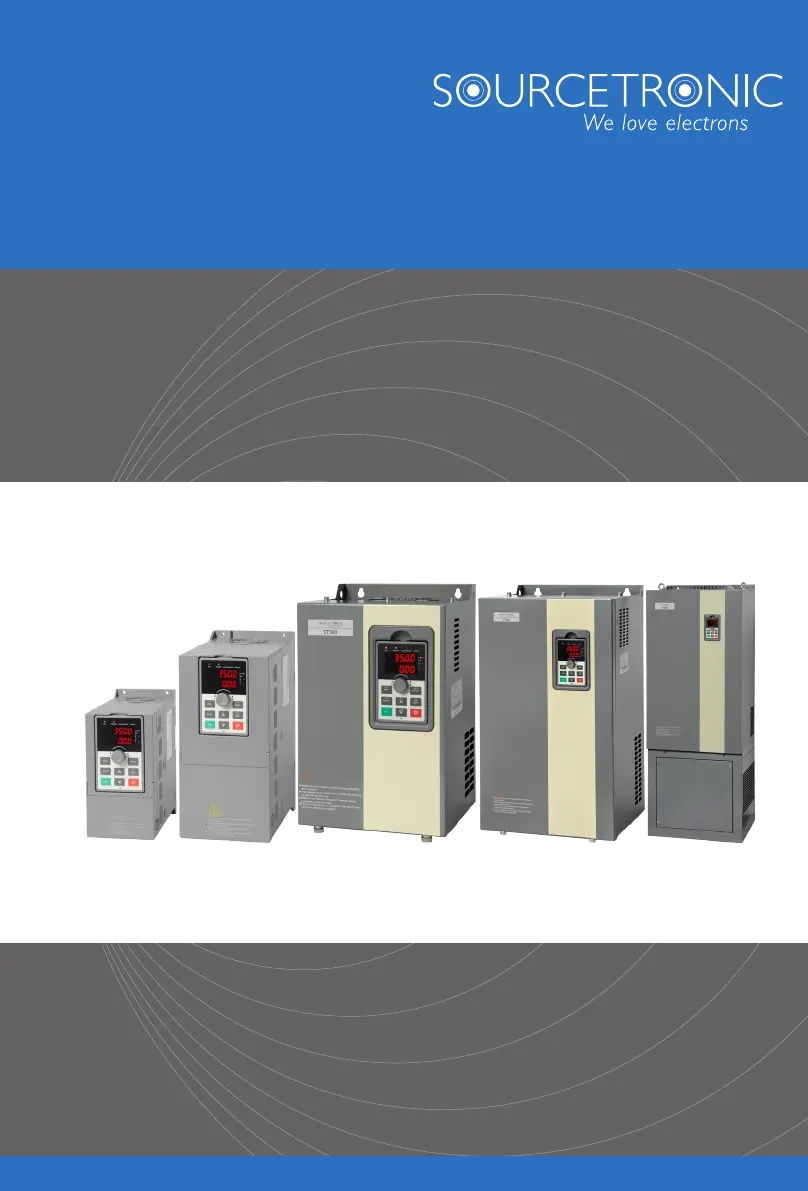
Frequency Inverter ST500 series
User Manual

Table of Contents

Questions and Answers

  • J
    Justin HoltSep 3, 2025
    Why does my Sourcetronic DC Drives show Err.07?
    • D
      Debra NguyenSep 3, 2025
      Your Sourcetronic DC Drive might display Err.07 if there's an external force dragging the motor while it's running; in that case, cancel the external force or install a braking resistor. The error can also be caused by a high input voltage, so set the voltage to the normal range.
  • M
    Mike BlakeSep 18, 2025
    What to do if Sourcetronic ST500 1R5G3 show Err.31?
    • P
      pamelapriceSep 18, 2025
      If Sourcetronic DC Drives show Err.31, check the PID feedback signal or set E2.11 to an appropriate value because PID feedback is less than the set value of E2.11.
  • M
    Matthew WattsSep 16, 2025
    What to do if Sourcetronic ST500 1R5G3 show Err.30?
    • S
      Shannon PatrickSep 16, 2025
      If Sourcetronic DC Drives show Err.30, confirm whether the load is removed or not, or if the settings for parameters F8.31 and F8.32 align with the actual operating conditions.
  • H
    hlawsonSep 14, 2025
    What to do if Sourcetronic ST500 1R5G3 show Err.23?
    • A
      Andrea GoodmanSep 14, 2025
      If your Sourcetronic DC Drive displays Err.23, it indicates that the motor is shorted to ground. Replace the cable or motor.
  • T
    Tracy BurnettSep 12, 2025
    What to do if Sourcetronic ST500 1R5G3 DC Drives show Err.08?
    • M
      mary06Sep 12, 2025
      If your Sourcetronic DC Drive displays Err.08, it means that the range of the input voltage is not within the specification. Adjust the voltage to the range of the requirements of the specification.
  • M
    meganblanchardSep 12, 2025
    What to do if Sourcetronic ST500 1R5G3 DC Drives show Err.45?
    • M
      Michael RussellSep 12, 2025
      If your Sourcetronic DC Drive displays Err.45, it may be due to loose wiring of the temperature sensor, so detect the wiring of the temperature sensor and eliminate the fault. It could also be that the motor temperature is too high, so decrease the carrier frequency or take other cooling measures to cool the motor.
  • C
    Crystal MendozaSep 9, 2025
    What to do if Sourcetronic ST500 1R5G3 DC Drives show Err.22?
    • M
      Mark WilliamsSep 9, 2025
      If your Sourcetronic DC Drive shows Err.22, it indicates either overvoltage or overcurrent. You should eliminate the overvoltage or overcurrent fault.
  • A
    Ariana StevensonSep 7, 2025
    What to do if Sourcetronic ST500 1R5G3 DC Drives show Err.13?
    • G
      Gabriel DavisSep 7, 2025
      If your Sourcetronic DC Drive displays Err.13, it could be due to a few reasons. The lead wires from the inverter to the motor might be faulty, so eliminate any peripheral faults. If the inverter's three-phase output is unbalanced when the motor is running, check if the motor's three-phase winding is normal and eliminate any faults. If the drive panel is abnormal, seek technical support.
  • J
    James KramerSep 5, 2025
    What to do if Sourcetronic ST500 1R5G3 DC Drives show Err.09?
    • J
      Jason SmithSep 5, 2025
      If your Sourcetronic DC Drive is showing Err.09, it could be due to a momentary power cut, in which case you should reset the fault. It could also be that the inverter's input voltage is not within the specification, so adjust the voltage to the normal range. If the bus voltage is not normal, seek technical support.
  • J
    jeffery24Aug 20, 2025
    What to do if Sourcetronic ST500 1R5G3 DC Drives show Err.02?
    • S
      Stephanie MartinezAug 21, 2025
      If your Sourcetronic DC Drive displays Err.02, it could be due to several reasons. The acceleration time might be too short, so try increasing it. The manual torque boost or V/F curve may not be suitable, requiring adjustment. Ensure the voltage is within the normal range. Check for short-circuits or earthing at the inverter output and eliminate any peripheral faults. If using vector control, perform parameter identification for the motor. If the motor starts unexpectedly while rotating, select Speed Tracking Start or restart after stopping it. A sudden load increase during acceleration can also cause this, so cancel the sudden load. Finally, the inverter might be too small for the application, so choose one with a larger power level.

Summary

Chapter 1 Inspection and Safety Precautions

1-1. Inspection after unpacking

Check the product's package for damage and verify specifications and model against the order.

1-2. Safety precautions

Details critical safety measures divided into 'Danger' and 'Caution' categories for operation.

1-3. Precautions

Lists general precautions for using the inverter, including motor insulation inspection.

Chapter 2 Standard Specifications

2-1. Technical specifications

Provides detailed technical specifications including power, current, voltage, and adaptive motor ratings.

Chapter 4 Installation and Commissioning

4-1. Use of the environment

Specifies environmental conditions for inverter installation and operation.

4-3. Wiring Diagram

Provides wiring diagrams for the main circuit and control circuit.

4-6. Wiring Precautions

Lists essential safety precautions and warnings for wiring the inverter.

4-8. Commissioning

Outlines the steps for commissioning the inverter after installation.

Chapter 5 Function parameter

5-1-10.F8 Group - Fault and protection

Parameters for configuring fault detection and protection settings.

5-1-19.b0 Group - Motor parameters

Parameters for configuring motor characteristics for optimal performance.

Chapter 6 Troubleshooting

6-1.Fault alarm and countermeasures

Lists common fault codes, possible causes, and recommended solutions for troubleshooting.

6-2.EMC (Electromagnetic Compatibility)

Details EMC definition, standards, and directives.

Chapter 8 Maintenance and repair

8-1. Inspection and maintenance

Outlines routine and regular inspection procedures for the inverter.

Appendix I RS485 Communication protocol

Appendix V product application case

V-1. Single pump constant pressure water supply parameter setting

Application case for constant pressure water supply using PID control.

V-2 Terminal block control motor forward and reverse

Wiring and parameter settings for terminal block control of motor direction.

V-4 Terminal block control forward; reverse running jog

Wiring and parameter settings for terminal block control of jog functions.

V-6 External potentiometer speed regulation

Wiring and parameter settings for speed control using an external potentiometer.

V-7 Keyboard potentiometer speed

Parameter settings for speed control using the keyboard potentiometer.

V-8. Rise; Fall Control Speed

Wiring and parameter settings for rise/fall control of speed.

V-9. External analog speed control (external 0 ~ 10 V voltage signal given)

Wiring and parameter settings for external analog speed control via voltage signal.

V-10. External analog speed control (external 0 ~ 20 mA current signal given)

Wiring and parameter settings for external analog speed control via current signal.

V-11. Air compressor constant pressure control (sensor for two-wire pressure transmitter)

Application case for constant pressure control of air compressors with a two-wire sensor.

V-12. Frequency reference mode (external potentiometer, keyboard encoder) switching

Parameter settings for switching frequency reference between external potentiometer and keyboard encoder.

Sourcetronic ST500 1R5G3 Specifications

General IconGeneral
BrandSourcetronic
ModelST500 1R5G3
CategoryDC Drives
LanguageEnglish

Related product manuals