EasyManua.ls Logo

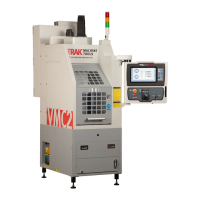
Southwestern Industries TRAK VMC2 - User Manual

Southwestern Industries TRAK VMC2
103 pages
Print Icon
To Next Page IconTo Next Page
Loading...
TRAK
®
VMC2
ProtoTRAK
®
RMX CNC
Safety, Installation, Maintenance, Service and Parts List
Covers Current Model:
• TRAK VMC2
Document: 31552
Version: 022521
2615 Homestead Place
Rancho Dominguez, CA 90220-5610 USA
T | 310.608.4422 | F | 310.764.2668
Service Department: 800.367.3165
e-mail: sales@trakmt.com | service@trakmt.com | web: www.trakmt.com

Table of Contents

Questions and Answers

  • P
    Patrick NortonSep 23, 2025
    What causes searching axis on Southwestern Industries Industrial Equipment?
    • R
      Randall ThompsonSep 23, 2025
      If your Southwestern Industries Industrial Equipment is searching for an axis, check the physical backlash in the system and re-enter it in code 128. Also, verify the tightness of the drive assembly of the axis that is searching, looking for looseness or excessive friction in the drive train.
  • B
    Brad KramerAug 25, 2025
    What to do if Southwestern Industries Power Tool parts have incorrect dimensions?
    • J
      jacquelineroseAug 25, 2025
      If parts produced by your Southwestern Industries Power Tool have incorrect dimensions, start by checking and verifying the correct tools and setup. Review the program for errors like transposed numbers or incorrect tool diameters, especially if the errors are significant. Also, ensure that the calibration file within the configuration file has not been erased or corrupted by checking for calibration values under service code 123. Finally, check for backlash issues, ensuring values are less than 0.0005”.
  • A
    Alexander WilliamsAug 25, 2025
    Why are circles out of round on Southwestern Industries Power Tool?
    • J
      Jesse SanchezAug 26, 2025
      If you're experiencing out-of-round circles with your Southwestern Industries Power Tool, several factors could be responsible. Begin by checking code 128 to ensure backlash values are less than 0.0005”, adjusting as necessary. Next, check the value of code 134 and adjust the friction feed forward as required. Inspect for any looseness in the setup (tool, tool holder, part, vise, or fixture). Verify that the machine is level and that the head is trammed to specification. Finally, inspect the X & Y-axis drive trains for any looseness, which may require disassembly and reassembly.
  • S
    scottallenAug 27, 2025
    What to do if Southwestern Industries TRAK VMC2 axis runs away?
    • S
      stevensdavidAug 27, 2025
      If you experience a runaway axis on your Southwestern Industries Power Tool, check the cable connections at the motor, computer module, and servo amp. Also, check the status of the LED lights on the servo amp when the problem occurs. For further assistance with the motor encoder or computer module, contact TRAK to arrange service or consult section 6.1.5.4 for computer module replacement.
  • M
    Michael GarciaSep 23, 2025
    What to do if system will not boot on Southwestern Industries Industrial Equipment?
    • R
      Rebecca SimpsonSep 23, 2025
      If your Southwestern Industries Industrial Equipment system will not boot, and an EFI Shell Error is displayed, power off the TMC, restart it, and see if the control boots up. Verify the MSATA Drive is correctly attached and secured with its screw.
  • M
    maria94Sep 13, 2025
    What causes run away axis on Southwestern Industries Industrial Equipment?
    • H
      hernandezkathleenSep 13, 2025
      If the axis on your Southwestern Industries Industrial Equipment is running away, check the cable connections at the motor, computer module, and servo amp. Also, check the status of LED lights on the servo amp when the problem occurs.
  • F
    frileySep 12, 2025
    What causes E-Stop error on Southwestern Industries Industrial Equipment?
    • M
      Maria Mccall DVMSep 12, 2025
      If you're experiencing an E-Stop error on your Southwestern Industries Industrial Equipment, ensure the E-Stop switch is released and the Power Reset button is activated to clear the message. Check that the removable jumper is correctly in place. Verify that both E-Stop jumper lights are illuminated, and also check the E-Stop lights in the electrical cabinet to confirm that both LEDs are on.
  • J
    Janice MillerSep 12, 2025
    What to do if programming panel does not power on Southwestern Industries Industrial Equipment?
    • N
      Nathan MccoySep 12, 2025
      If the programming panel does not power on for your Southwestern Industries Industrial Equipment, first verify that the DB25 pin connector and Computer Module Ethernet cables are securely connected. Next, confirm that 24 VDC is reaching the programming panel enclosure. If power is reaching the panel, check if the 12 VDC and 5 VDC LEDs are illuminated.
  • R
    Richard BakerSep 4, 2025
    What to do if overlay keys not responding on Southwestern Industries Power Tool?
    • L
      Lauren PadillaSep 4, 2025
      To troubleshoot unresponsive overlay keys on your Southwestern Industries Power Tool, first, run Service Code 81 to verify the screen displays the correct key panels for your VMC2 model. If the key panels are incorrect, reboot and retest Code 81. If keys are erratic, open the rear panel and ensure all four ribbon cables are tight and correctly seated. For keys not working at all, check the four ribbon cables and the RS232 cable from the overlay PCB to the motherboard. Also check DB25 cable on lower left of programming panel. If issues persist, contact TRAK Customer Service, as the programming panel likely needs replacement.
  • E
    Elizabeth FloydSep 2, 2025
    How to fix system will not boot on Southwestern Industries Power Tool?
    • D
      davidsonchristopherSep 2, 2025
      If your Southwestern Industries Power Tool system fails to boot, and an EFI Shell Error is displayed, power off the VMC2, then restart it. Verify that the MSATA Drive is correctly attached and secured with its screw. If the issue persists, the programming panel may need replacement due to a motherboard failure.

Southwestern Industries TRAK VMC2 Specifications

General IconGeneral
BrandSouthwestern Industries
ModelTRAK VMC2
CategoryPower Tool
LanguageEnglish

Related product manuals