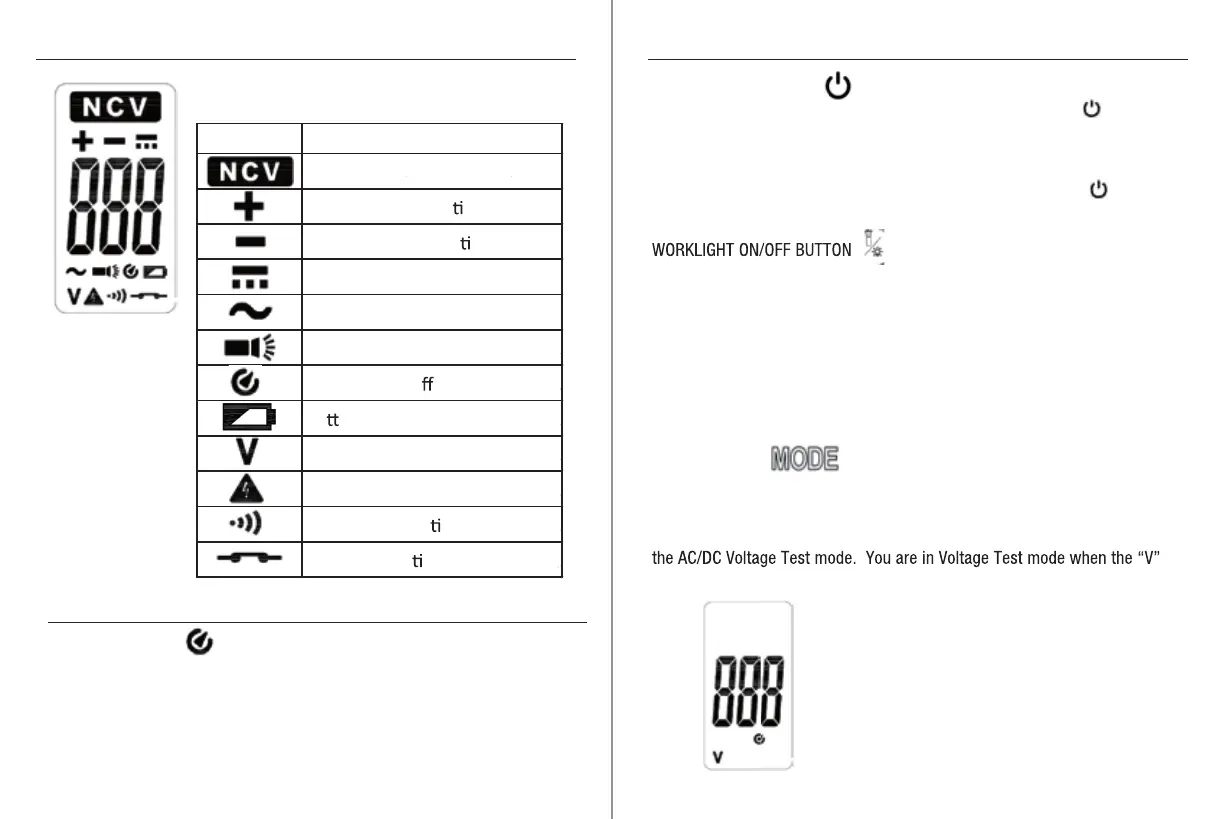
Symbols Used on the LCD Display Operation
Operation
9
10
MODE BUTTON
The MODE button allows you to switch between the three operating modes
1) AC/DC Voltage Test mode, 2) Non-Contact Voltage (NCV) detector mode,
and 3) Continuity Test mode. The default test mode after initial power up is
symbol is displayed in the lower left corner of the LCD screen
POWER ON/OFF BUTTON
To turn the voltage tester ON, press and hold the Power button until
the LCD display turns on. The LCD backlight will be on and the voltage
tester will beep once. The LCD backlight will stay on for approximately
30 seconds and then turn off.
To turn the voltage tester OFF, press and hold the Power button until
the voltage tester beeps and the LCD display turns off.
The voltage tester must be powered ON for the work light to function.
To turn the work light ON, briefly press the work light button.
The work light will stay on for approximately 1 minute.
To turn the work light OFF, briefly press the work light button.
Tester is in NCV Mode
DC Polarity is Posi
ve
DC Polarity is Nega
ve
DC Voltage is Being Measured
AC Voltage is Being Measured
Worklight is On
Auto Power O
(APO) is On
Ba
ery Voltage is Low
Tester is in Voltage Mode
Hazardous Voltage Indicator
Tester is in Con
nuity Mode
Circuit is Con
nuous
AUTO POWER OFF
To extend battery life, the voltage tester will automatically turn off after 15
minutes of inactivity. The voltage tester will beep 5 times after 14 minutes
of inactivity to warn you that the tester is approaching Auto Power Off.
After 15 minutes of inactivity, the tester will beep once and then turn off.
To restore operation after the tester has been turned off, press and hold the
Power button.
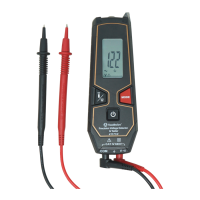
LCD Display in Voltage Test Mode


 To Next Page