
 Need help?
Do you have a question about the Sovereign KA-SBT010 and is the answer not in the manual?
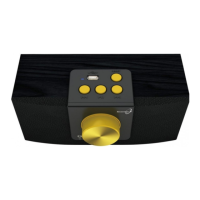
Press button during play to pause audio, and again to resume.
Click to skip back a track or hold down to rewind.
Click to skip forward a track or hold down to fast forward.
Click to skip to the next book/folder or hold down to reset to the beginning of track 1, folder 1.
Insert the USB stick into the port – it will only fit one way.
Rotate clockwise to switch player on, hearing a click and then continue clockwise to increase volume.
Please use headphones with a mini jack connector.
Only use the AC charger supplied with the Sovereign.
 General
| Brand | Sovereign |
|---|---|
| Model | KA-SBT010 |
| Category | Media Player |
| Language | English |

 To Next Page