Page 7 of 10
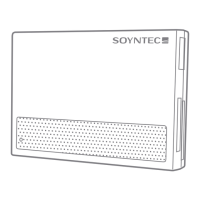
CARD READER INSTALLATION
Please note that in order to install the Nexoos 550 card reader you need a
free USB connector in your computer.
Follow these steps to install it:
1. If your operating system is Windows 95 or 98, please download the drivers
from our webpage: www.soyntec.com
If your operating system is Windows 7 / VISTA / XP / 2000 / ME / 98SE or
LINUX or MAC OS X, you don’t need to install the drivers.
2. Connect the card reader to a free USB connector using the USB cable
provided.
3. Reboot the computer if requested to finish the installation.


 To Next Page