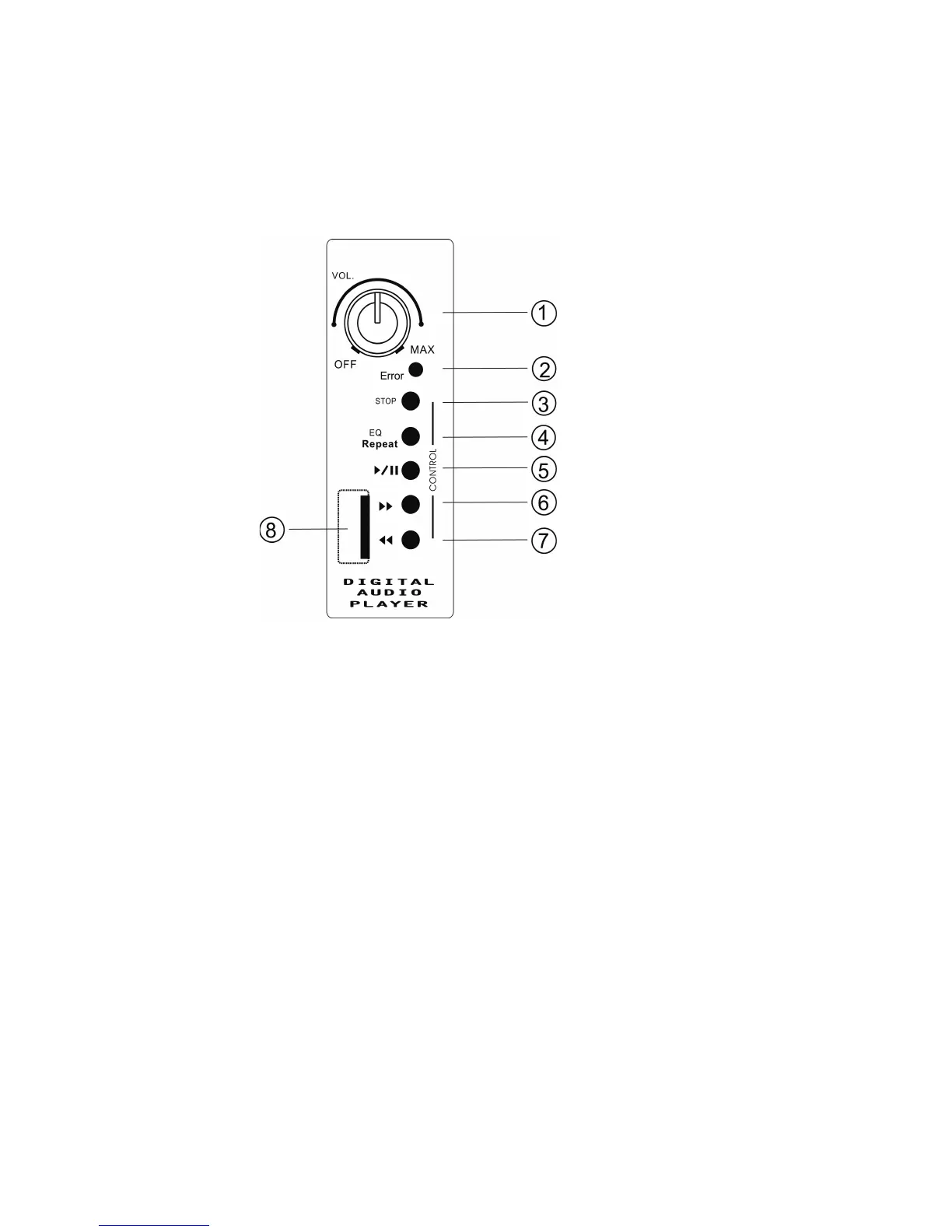
A) USB Control: Supports a variety of MP3 players and USB storage devices.
1) On/Off/Volume: Independent volume control for the USB input. Clockwise turn
increases volume. Leave in the OFF position if not used.
2) Error LED: Will flash to indicate a read error.
3) Stop: Just that – the 'stop' button.
4) EQ/Repeat: Scroll through EQ presets (normal, jazz, pop, classical, rock, live) by
momentarily pressing this button. Holding for 3 seconds will set the player to repeat
the current selection.
5) Play/Pause: No surprises here – press to play, press to pause.
6) Fast Forward: Searches forward.
7) Reverse: Searches backward.
8) USB Input: Compatible with most any USB storage device.


 To Next Page