We are going to use the
forever
block for building this “Hello World.” We now need to start adding
blocks to
forever
.
First, click on the Basics category. These blocks are, well, the basic building blocks of a BuildCode
program. It will expand into a number of options. Click and drag the
showleds
block over and place it
inside of your
forever
block. Notice that the block is keyed to fit inside of the
forever
block, and if
you have the volume up on your computer you will hear a satisfying ‘click’ noise when you let go of
the block.
The
showleds
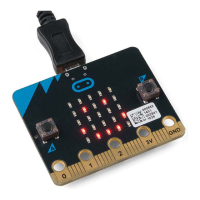
block has an array of squares that symbolize the LED array. If you click on a square,
it will turn red, which means that it is on. Draw a simple pixel art shape by turning different LEDs on
or off; you should be able to see the outcome in your simulator on the lefthand side of your window.


 To Next Page
 Loading...