Experiment 6: Reading a Button Press
Introduction
Up until now, we’ve focused mostly on outputs. Now we’re going to go to the other end of the
spectrum and play around with inputs. In Experiment 2, we used an analog input to read the
potentiometer. In this experiment, we’ll be reading one of the most common and simple inputs – a
push button – by using a digital input. We will use it to cycle through different colors on the RGB.
Parts Needed
You will need the following parts:
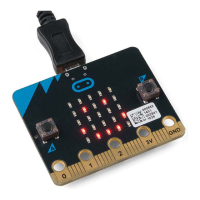
1x micro:bit
1x Micro B USB Cable
1x micro:bit Breakout (with Headers)
1x Breadboard
8x Jumper Wires
1x Momentary Push Button
1x 10kΩ Resistor
1x Common Cathode RGB LED
3x 100Ω Resistors
Didn’t Get the SIK for micro:bit?
If you are conducting this experiment and didn’t get the Inventor’s Kit, we suggest using these parts:
Breadboard - Full-Size (Bare)
PRT-12615
18
micro:bit Board
DEV-14208
3


 To Next Page