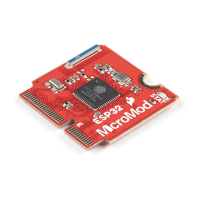
The board measures 22mm x 22mm, with 15mm to the top notch and 12mm to the E key. For more information
regarding the processor board physical standards, head on over to the Getting Started with MicroMod tutorial and
check out the Hardware Overview section.
Hardware Hookup
To get started with the ESP32 Processor Board, you'll need a carrier board. Here we are using the MicroMod Input
and Display Carrier Board. Align the top key of the MicroMod ESP32 Processor Board to the screw terminal of the
Input and Display Carrier Board and angle the board into the socket. Insert the board at an angle into the M.2
connector.
Note: There is no way to insert the processor backward since the key prevents it from mating with the M.2
connector and as an extra safeguard to prevent inserting a processor that matches the key, the mounting
screw is offset so you will not be able to secure an improperly connected processor board.
The Processor Board will stick up at an angle, as seen here:


 To Next Page
 Loading...