You should now be able to upload code to a number of SparkFun Arduino-compatible products, including the
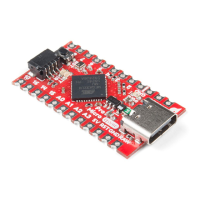
SparkFun Pro Micro.
Notice there are two options for the Pro Micro - 8MHz and 16MHz. It's very important that you select the Pro
Micro option that matches your board's voltage and speed. This should be listed under the Tools >
Processor. For the Qwiic Pro Micro, you will need to ensure that you select the ATmega32U4 (5V, 16MHz).
You should also see your Pro Micro's COM port under the 'Tools > Serial Port' menu. Select it, and head over to
the Example 1 page where we'll upload our first piece of code.


 To Next Page