
 Need help?
Do you have a question about the Spartan FORTRESS CD/DVD and is the answer not in the manual?
Describes the environmental conditions for the duplicator's operation and storage.
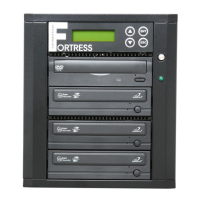
Details the components and layout of the duplicator's front panel interface.
Copies master discs to all target discs simultaneously.
Simulates the copy process without data recording to check target disc usability.
Copies master discs and verifies readability of the duplicated copies.
Copies master discs and performs a bit-for-bit comparison with copies.
Verifies the presence of data on copied discs for readability.
Performs a bit-for-bit comparison between master and copied discs.
Allows changing speed settings for various disc formats like CD and DVD.
Allows changing the source drive for the duplication process.
Allows custom compilation of audio CDs from multiple tracks.
Provides tools for checking drive functionality and system information.
Sets system warm-up time before initialization.
Sets automatic start time for selected functions after disc insertion.
Assigns the command displayed first after initialization.
Changes the amount of information displayed on the LCD.
Enables or disables audio feedback for button presses.
Allows skipping uncorrectable read errors on the master disc.
Allows ejecting drive trays with discs upon boot-up.
Enables or disables displaying copy completion time.
Sets the speed at which discs are read.
Sets the speed for the compare process.
Allows changing master disc during copy on error detection.
Enables copying of CDs burned beyond maximum capacity.
Enables copying of CD-TEXT information for audio CDs.
Displays the HDD image name on the LCD.
Sets password protection for duplicator boot-up.
Sets password protection for changing setup options.
Allows different language selections for LCD display.
Resets controller to factory default settings.
Selects an image file from the HDD as a source for copying.
Transfers information from master CD/DVD to HDD as an image file.
Changes the read speed (load speed) for the HDD.
Displays image file information like name, size, and type.
Renames HDD image files using up to 8 characters.
Deletes image files from the HDD and reclaims space.
Shows the amount of used and free space available on the HDD.
Deletes and formats all image(s) on the HDD to factory defaults.
Loads images to HDD and copies them to target discs.
Steps to enable the DiscLock feature for secure copying.
Performs copying with DiscLock protection protocol.
Sets burn speed for DVDs with DiscLock enabled.
Changes the source drive for DiscLock copying.
Accesses tools like Pre-Scan and drive information within DiscLock setup.
Configures system settings with truncated options for DiscLock.
Manages HDD images, required for DiscLock.
Disables DiscLock protection on copied discs.
Steps to troubleshoot when the unit receives no power.
Procedures for when the master disc is unreadable or has errors.
Addresses issues causing a high rate of copy failures.
Solutions for when the duplicator freezes during operation.
Troubleshooting steps for unresponsive buttons on the unit.
Diagnosing problems with drives not opening or LEDs not lighting.
Resolving problems with blank media not being recognized by writer drives.
 General
| Brand | Spartan |
|---|---|
| Model | FORTRESS CD/DVD |
| Category | Disc Duplicator |
| Language | English |

 To Next Page