23
EN
4. MODE button: Toggle between the different reproduction
modes..
5. Button: MUTE button, switch ON/OFF the sound of
the device.
6. Button: Next song. In radio Mode: increase the FM
frequency.
7. Button: Pause or continue the reproduction.
8. RESET button: Set the default settings.
9. FM/SCAN button: Make an FM scan.
10. EQ button: Set the equalization mode.
11. Numerical buttons: Press these buttons to choose the
song to play.
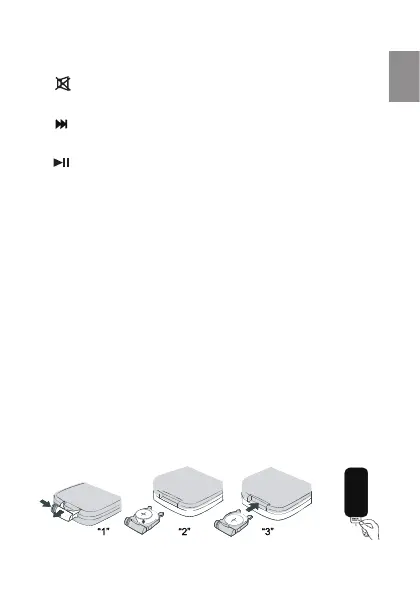
NOTA: The remote control uses a CR2025 battery included with this
product. When a battery replacement is necessary follow the steps
drawn. Make sure that the battery polarity is correct, just as shown
in the drawing. Close the cover of the remote control sliding it.



 To Next Page