40
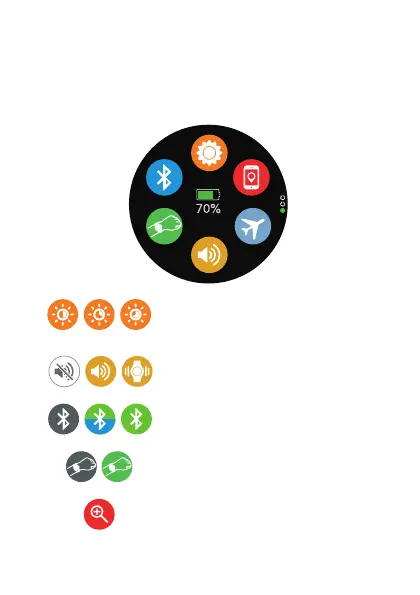
VERTICAL MENU
Sliding from up to down, you will browse in the vertical
upper menu.
Set the brightness of the screen
Set the watch with/without sound,
or just vibration
Turns off the Bluetooth and shows
theBluetoothprolesconnected
Turn ON/OFF the movement
sensor
Search the device linked to the
Smartwatch


 To Next Page