55
EN
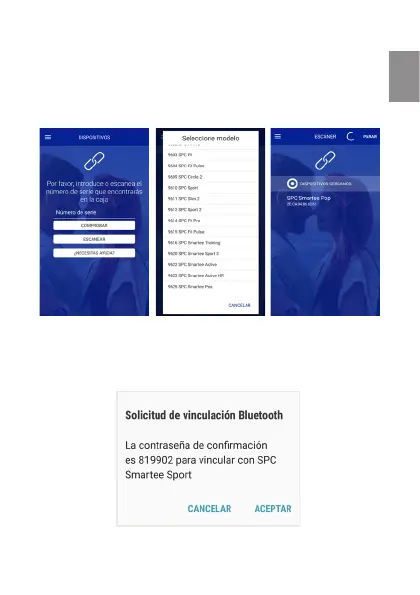
you have three different ways: scanning the serial number,
introduce it by hand or search the device from the list of
compatible devices, inside the “Do you need help?” section.
The device will appear like this:
Depending on the Android version installed, and the mobile
model, maybe it will ask some extra permission, like in the
image below:


 To Next Page