58
CONNECTION ON iOS
Once you are logged in with your SPC user, you will be able
to go to the Devices section, to link the Smartphone to the
Smartee Pop.
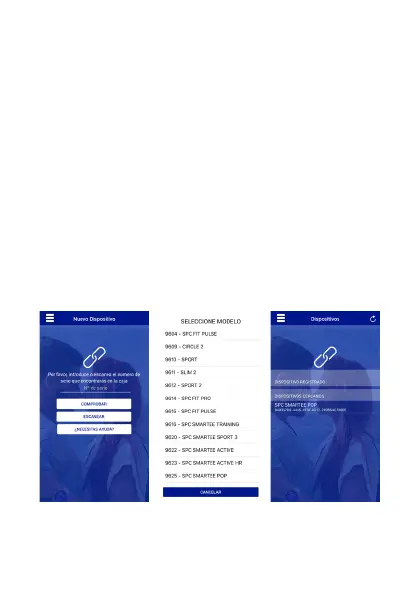
In iOS, to connect your Smartwatch in Smartee, go to
Devices. You will have to turn ON the Bluetooth in the
iPhone and the Smartwatch. To link it, there are three
different way: scanning the Serial Number, introducing it by
hand or searching for it in the model list, inside the “Do you
need help?” section. The device should appear like this:


 To Next Page