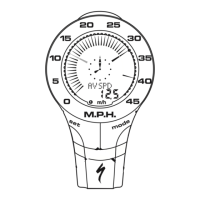
modes by pressing the "MODE" but-
ton located on the right-hand side of
the housing. There are six cycling
modes available: 1) Speed Mode, 2)
Average Speed Mode, 3) Maximum
Speed Mode, 4) Odometer Mode, 5)
Trip Distance Mode and 6) Auto-timer
Mode. Once you familiarize yourself
with the mode selection operation you
will find it very easy to navigate. The
following flowchart outlines the
mode/side-mode sequence.
Once a particular mode has been
entered, its values can be reset or
adjusted by pressing and holding the
"SET " button for three seconds. Some
operations may require that you use a
combination of the "MODE" and
"SET" buttons.
1. Setting the Display Language
Your SpeedZone Sport can display
information on the dot-matrix display
area in six different languages:
English (ENGL), German (GER),
French (FR), Italian (ITA), Dutch
(NED), and Spanish (ESP). To select
your language, depress hold the
"MODE" and "SET" buttons simulta-
neously for three seconds. The select-
ed language will be displayed. Use
the "MODE" button to scroll through
the languages. When the selected lan-
guage is displayed (default language
is English), press the "SET" button
once to confirm your selection and
exit display language mode.
7


 To Next Page