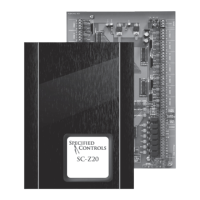
SC-Z20-NS PROGRAMMING INSTRUCTIONS
HOW IT WORKS:
The SC-Z20-NS does not control the HVAC equipment and only uses the ‘G’ fan relay to put the SC-Z20 panel in either the
occupied or unoccupied mode. This is accomplished by using the Programmable Fan option so that the fan relay is energized
during occupied mode (Always On) and de-energized during unoccupied mode (Automatic). When in Automatic mode, the fan
relay will only energize when the temperature rises above or falls below the programmed unoccupied heating and cooling
setpoints.
RECOMMENDED SETUP:
Refer to the Installation Instructions to configure the thermostat. Leave all other setup menu items not shown below in factory
default.
SYSTEM SWITCH SETTINGS:
The SC-Z20-NS contains a set of four system switches located on the thermostat printed circuit board. Make sure the system
switches are set as follows:
Sw 1 = OFF
Sw 2 = ON
Sw 3 = OFF
Sw 4 = OFF
INSTALLER SETUP MENU CHANGES:
After the thermostat is powered up, touch and hold both the and section for 5 second to enter the Installer Menu.Clock Mode
Touch to advance forward through the menu or touch to backup.Mode Fan
MENU CHANGES: (LEAVE ALL OTHER OPTIONS AT FACTORY DEFAULTS)
02 = 2 (2 schedules per day)
04 = 1 (Programmable Fan)
After the above changes have been made, touch and hold until the thermostat exits the Installer Setup menu.Mode
SETTING THE CLOCK AND DAY OF WEEK:
It is important that the time of day and day of the week is set properly so that occupied and unoccupied programs start on time.
1. Touch the until the day of the week flashes. Tap the or arrow to select the day of the week.Clock UP DOWN
2. Touch again and the hour will flash. Tap the or arrow to select the correct hour. Note: PM hours are indicatedClock UP DOWN
by on the LCD.PM
3. Touch again and the minutes will flash. Tap the or arrow to select the correct minutes.Clock UP Down
4. To exit the menu, touch again.Clock
DAYLIGHT SAVING TIME:
Refer to the User Manual and DST Chart for Daylight Saving Time option.
PROGRAMMING EVENTS:
When the thermostat is configured to provide 2 schedules per day (Occupied/Unoccupied), 7 day per week, each event is
displayed on the LCD as (Occupied) and (Unoccupied).DAY NIGHT
1. Touch until (Monday) flashes.Program Mon
2. Tap again until the hour flashes and is displayed on the LCD. Use the or arrow to set the hour startProgram Day UP DOWN
time. Note: PM hours are indicated by on the LCD.PM
3. Tap again until the minutes flash. Use the or arrow to set the minutes.Program UP DOWN
4. Tap again and the heating setpoint will flash. Leave the setpoint at the factory default of 70 degrees.Program
5. Tap again and the cooling setpoint will flash. Leave the setpoint at the factory default of 75 degrees.Program
6. Tap again and the fan option will flash. This is the correct setting for the Day mode. If not, use the orProgram Always On UP
DOWN arrow to set the fan option from Automatic to Always On.


 To Next Page
 Loading...