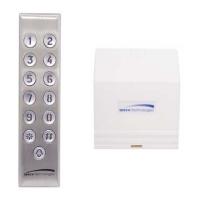
Speco Technologies® 0106 SG-100
2
Speco Technologies Stainless Steel Indoor Keypad Instruction Manual SG-100
Request To Exit Function
The request to exit input (M-P1 on unit terminal) timer
is linked to user in rank 000.
Timer
• Every field must be a two digit entry.
• The timer value range for illuminating the
keypad is from 01 to 99 seconds.
• Valid output timer values are from
01 – 99 seconds.
• 00 selects the latch (toggle) mode
Default Values
The Speco Technologies architectural backlit keypad
is designed for easy installation. The following defaults
have been factory programmed.
• No pre-configured user code
• Code length – 4 digits
• Illumination duration – 10 seconds
• Time delay allowed between key press
10 seconds
• Return to stand-by from configuration mode:
120 seconds (2 minutes)
• Factory Set Master Code - 1234
• Hardware (jumper) reset is provided by the
master code.
• Output timer values – 5 seconds
• Sounder - ON
• Key press for output #2 - Inactive
• Key press for output #3 – Inactive
• LED when powered up - Red
If additional functions are needed or default changes
are desired, refer to Programming Options chart.
Key Press Active On Output #2 and #3
If ‘key press is active’ on output #2 & #3 is enabled,
then output #2 or #3 cannot be included in the choices
offered by function 52.
Audible Sound Definitions
1 Short Beep Unit is just powered up, key press or
data is valid in configuration mode.
1 Long Beep Relay activation following a valid
user code or data recorded in
configuration mode.
2 Short Beeps Getting In or Out of configuration
mode
4 Short Beeps Data error.
Default Master Code
When the keypad is in operation, put the jumper
(2 PIN header on Main PC board) in place. The green
LED will turn ON and one beep will sound. The master
code will return to the factory setting - 1234 – and the
code length will return to 4 digits. Remove the jumper
to return to normal operation.
Selection of Outputs by User Code
It is possible to select one or two outputs for
each user code. This is done by entering a two
digit value in the first field of function 52.
Some examples are listed below:
• Type ‘12’ if you want the user code to
activate outputs 1 and 2
• Type ‘23’ if you want the user code to
activate outputs 2 and 3
• Type ‘13’ if you want the user code to
activate outputs 1 and 3
• Type ‘02’ if you want the user code to
activate only output 2
• Type ‘01’ if you want the user code to
activate only output 1
Keypad Self Test Operation
The self test confirms that the unit is operating
correctly.
• Connect the wires from a 12V or 24V
power source to the power input
terminals.
• Install the jumper (in back of the unit)
• Turn the power ON from the power
source and the Orange LED should
blink
• Type: 7890#123456*. Self test begins
• Red LED turns ON
• Memory is reset
• Default values are written
• ‘Output 1 default timer value’ is read
• Orange LED turns ON
• Codes are written in rank 000 and rank
129
• Green LED turns ON
• ‘Output 2 and Output 3 timer value’ is
written
• Green LED turns OFF
• 1.5 second activation of the 3 outputs
• The two programmer codes are read
back
• Orange LED turns OFF
• Two beeps sound
• Memory is reset and default values are
rewritten
• Press ‘request to exit’ (make a short
between M and P1 terminal position
• The Red LED should blink
• Remove the jumper
• Turn power OFF and back ON
• One beep should sound
This should be a good guide for those who
would like to test the unit before installing it.
If a problem is encountered, the unit will beep
continuously until the jumper is removed and
the unit is reset.


 To Next Page
 Loading...