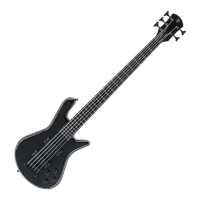
The Spector
Bridge
How to Adjust It:
The Spector Locking Bridge is found on all basses with the exception of the
Performer Series & NS Dimension Series. The design consideration is that
while this bridge is sophisticated, it is actually very simple and easy to
adjust. Another profound benefit of the Spector Locking Bridge is that it
locks. You cannot adjust it, until you unlock it. Once adjusted, lock it and it
will stay where you put it. To adjust, leave the strings on the bass and tuned
to normal pitch. Loosen the set screw on side of bridge with Allen wrench.
Using same Allen wrench as above, adjust height of each string saddle as
needed to suit your playing style. Adjust the intonation of each bridge
saddle by moving the saddle away from the neck (if the higher register
notes are playing sharp) or toward neck (if the higher notes are playing
flat) as needed. For optimum performance, each of the saddles should be
tilted back toward the ball end of the string at the same angle as the
headstock tilt (but opposite in direction). Tighten set screw on side of
bridge and now the saddles will stay in place even when strings are
changed. This solid contact also adds to the overall sustain and tone of the
Spector Bass.
Spector String Spacing Specifications
Inquiring minds want to know, so in response to many requests:



 To Next Page