
 Need help?
Do you have a question about the Spectracom GSG-6 series and is the answer not in the manual?
Provides a brief outline on how to get started with the GSG-5/6 unit.
Details RF output, rear outputs/inputs, time base, optional antenna, and environmental specs.
Explains safety symbols and user responsibilities for safe operation.
Guides on unpacking the unit and checking included items.
Covers general installation considerations, orientation, cooling, and rack-mounting.
Details supply voltage, fuse, and grounding requirements.
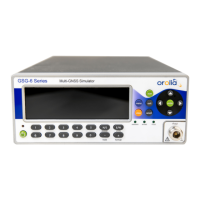
Describes the GSG-5/6 simulators' front panels, controls, and status indicators.
Details the connections available on the back panel of the GSG unit.
Covers tasks related to scenario execution and configuration like start, stop, hold, and arm.
Emphasizes the importance of forcing a cold start or full reset after using generated signals.
Recommends using the latest firmware and StudioView version for updates.
Introduces GSG StudioView software for creating, editing, and managing scenarios.
Lists all GSG SCPI commands, including common commands and subsystem commands.
 General
| Frequency Range | L1/E1, L2, L5/E5a/E5b |
|---|---|
| GNSS Signals | GPS, GLONASS, Galileo, BeiDou, QZSS, SBAS |
| Operating Temperature | 0°C to +50°C |
| RF Output Connectors | SMA |
| Time Accuracy | <10 ns |
| Input Power | 100-240 VAC, 50/60 Hz |
| Power Supply | 100-240 VAC, 50-60 Hz |
| Interface | Ethernet, USB |

 To Next Page