3
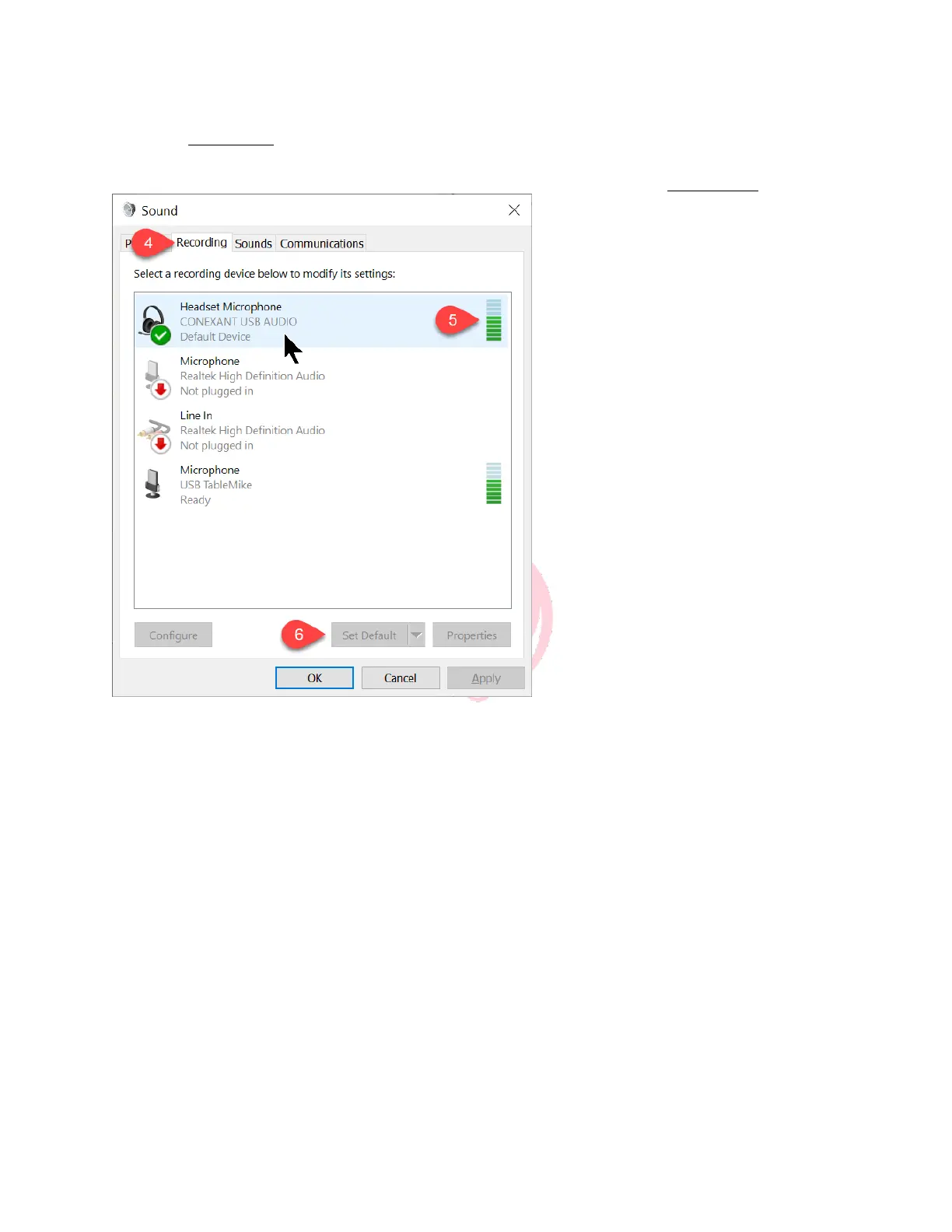
4. Click the Recording tab.
5. As you speak into your microphone you should see green bar movement
6. If you don’t see a green checkmark in your new sound system, click Set Default
Note that full duplex sound systems will automatically steal your sound system the 1
st
time
they are plugged in. If you would prefer to use your previous sound output (typically your
computers integrated soundcard) see following:



 To Next Page