7
How To Change Your DMPE 4 or DPG 15 (ONLY) Sound Input Device
(USB Soundcard or USB Microphone)
Note: If you are using DPI 15 go back to the previous page
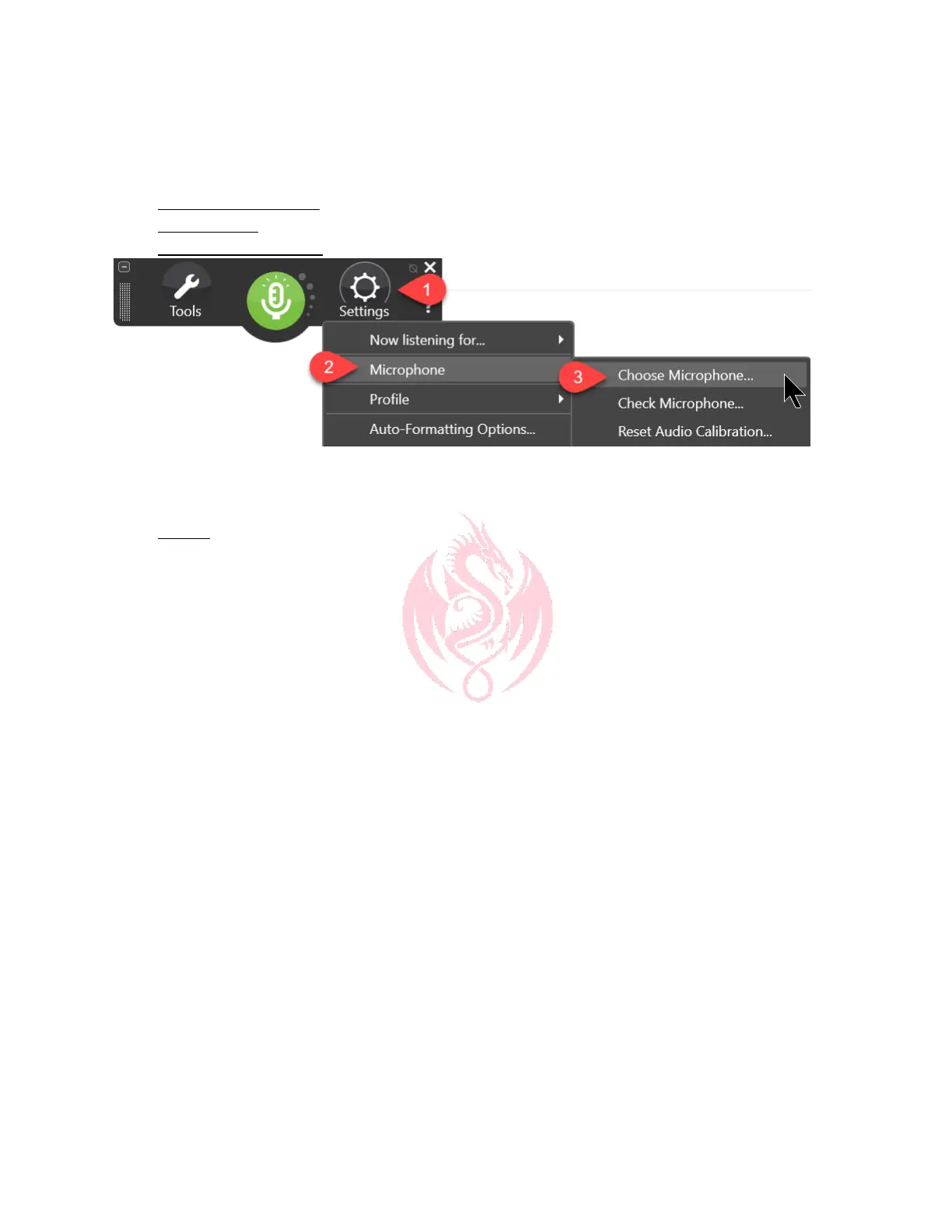
1. Click DragonBar Settings
2. Click Microphone
3. Click Choose Microphone
4. Mouse click on the appropriate microphone. If you’re not certain, speak a few words and the
microphone. You should see green bars jumping up and down on 1 of the appropriate choices.
5. Click Finish. Dragon will typically need about 20 seconds to automatically set up your new
sound system
© KnowBrainer 1996 - 2020



 To Previous Page