Need help?
Do you have a question about the Speed Link BLACK WIDOW and is the answer not in the manual?
Jöllenbeck GmbH is not liable for damage from inattentive, inappropriate, negligent, or incorrect operation of the machinery.
Do not attempt self-repair. Refer all servicing to qualified personnel. Do not modify the device.
Avoid use near water or exposure to rain, moisture, splashing liquids, high temperatures, or direct sunlight.
Use a soft, dry cloth for cleaning. Never use benzine, paint thinner, or other chemicals.
Place the device on a stable surface to prevent damage or bodily harm from falling.
Product must be used with original parts in closed, dry rooms and follow installation instructions.
Guaranteed free of defects in workmanship and materials for two years from the original purchase date.
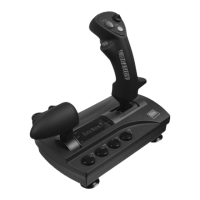
Controls the all-round view with an eight-way directional input, often referred to as a 'coolie hat'.
These are the primary buttons used for actions like firing or selecting.
Adjusts the engine throttle or speed level for in-game actions.
Allows for rudder control, typically for steering or yawing in flight simulations.
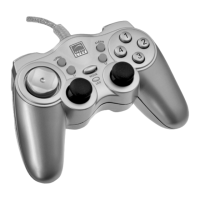
Verify '8 buttons with vibration' entry in game controller menu; uninstall other controllers if necessary.
Never attempt to service or repair the device yourself. Refer all servicing to qualified service personnel.
Do not make any modifications to the device. Doing so will invalidate the guarantee.
 General
| Type | Gamepad |
|---|---|
| Connectivity | Wired |
| Platform | PC |
| Interface | USB |
| D-pad | Yes |
| Vibration | Yes |
| Analog Sticks | 2 |
| Vibration Feedback | Yes |


 To Next Page