
EasyManua.ls Logo

SpeedComfort Trio Set - User Manual

SpeedComfort Trio Set
24 pages
Print Icon
To Next Page IconTo Next Page
Loading...
Installation and
User Instructions
February 2021
Version 03.00

Questions and Answers

  • J
    Joseph BrownAug 15, 2025
    What to do if my SpeedComfort Fan doesn't switch on?
    • L
      Lisa StevensAug 15, 2025
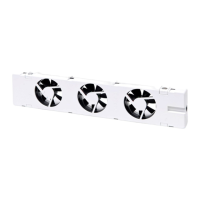
      If your SpeedComfort (A) fan doesn't switch on after connecting it to the wall socket, ensure the radiator's temperature is at least 33°C. Check that the temperature sensor (E) is correctly attached to the warm water supply pipe or nearby on the radiator where it gets warm and makes proper contact. If the radiator isn't heating up well, bleed the central heating system and consider hydronic balancing. Also, verify the wall socket is functional and the power adapter (D) is properly inserted.
  • N
    nicholsjoshuaAug 18, 2025
    What to do if temperature sensor of SpeedComfort Fan cannot reach the pipe?
    • R
      Robert GlassAug 18, 2025
      If the temperature sensor (E) cannot reach the warm water supply pipe, you can buy an additional 60 cm or 120 cm long cable (G or H) to connect to the temperature sensor cable. Alternatively, you can attach the temperature sensor (E) to the back of the radiator.
  • S
    Susan RobbinsAug 21, 2025
    Why SpeedComfort Fan doesn't switch off when radiator is cold?
    • A
      Amy HoustonAug 21, 2025
      If your SpeedComfort (A) fan does not switch off when the radiator is off or cold, make sure the SpeedComfort (A) is properly connected to a temperature sensor (E).
  • J
    Jill RileyAug 25, 2025
    What to do if I can't connect two SpeedComfort Fans?
    • K
      kenneth82Aug 25, 2025
      If you cannot connect two SpeedComforts (A) with the supplied 30 cm long connecting cable (F) because the distance is too big or the cable is too short, buy an additional 60 cm or 120 cm long cable (G or H) to connect the SpeedComforts (A).
  • P
    psmithAug 27, 2025
    How to install SpeedComfort Fan with radiator cover?
    • A
      anthonybushAug 27, 2025
      If you need to attach the SpeedComfort (A) fan at the top of the radiator, but the radiator has a cover, place the SpeedComfort (A) underneath the cover. Keep in mind that this exposes the SpeedComfort (A) to higher temperatures, which may slightly limit its lifespan.
  • Q
    qwalkerAug 30, 2025
    How to reduce noise from SpeedComfort Trio Set on convector?
    • M
      Mary FosterAug 30, 2025
      If the SpeedComfort (A) makes too much noise when placed on the convector, make sure the SpeedComfort (A) does not touch any metal pieces. For this reason the feet (C) should also be attached. This is often due to contact noise.
  • K
    kristinewoodsSep 2, 2025
    What if SpeedComfort Trio Set Fan doesn't fit at the bottom?
    • M
      Mr. James Wood MDSep 2, 2025
      If the SpeedComfort (A) does not fit at the bottom of the radiator because there is too little space, place the SpeedComfort (A) on top of the radiator. This will not influence performance. The bottom is only preferred as it is less visible. Make sure the SpeedComfort (A) still faces upwards.
  • J
    Jesse SummersSep 5, 2025
    How to attach SpeedComfort Trio Set sensor to convector?
    • C
      Christine BaldwinSep 5, 2025
      If you cannot attach the temperature sensor (E) to the convector because convectors, which are made from copper or aluminum, are not magnetic, attach the temperature sensor (E) with supplied Velcro or clamp the temperature sensor between two thin plates in the convector block.
  • J
    James GonzalesSep 8, 2025
    How to install SpeedComfort Trio Set on cast iron radiator?
    • M
      meyersmichaelSep 8, 2025
      If you have an old cast iron radiator or Single plate radiator with plate < 55 mm from wall, attach the feet (C) to the SpeedComfort (A) and place on the floor under the radiator, because it is not one of the 4 types of radiators mentioned.
  • A
    Angela PetersSep 12, 2025
    Why I am not saving 22% on energy with SpeedComfort Fan?
    • M
      Mark JeffersonSep 12, 2025
      To potentially save 22% on your energy bill using SpeedComfort (A) fans, optimize the central heating system (see section 4.3) by distributing the SpeedComforts (A), adjusting the temperature setpoint, and ensuring hydronic balancing. If the central heating system has been functioning optimally before the installation of the SpeedComforts (A), it may not be possible to save 22%. User behavior can also have an impact on the maximum savings that can be achieved. This issue arises if the central heating system is not optimized enough or the central heating system has been functioning optimally before installation of the SpeedComforts (A).

SpeedComfort Trio Set Specifications

General IconGeneral
BrandSpeedComfort
ModelTrio Set
CategoryFan
LanguageEnglish